How to Change Ringtone on iPhone (Built-In or Custom)
The ringtone setting is not in the Phone app. Here is the exact path in Settings, the iOS 26 way to use your own audio, and how to give one contact their own tone.
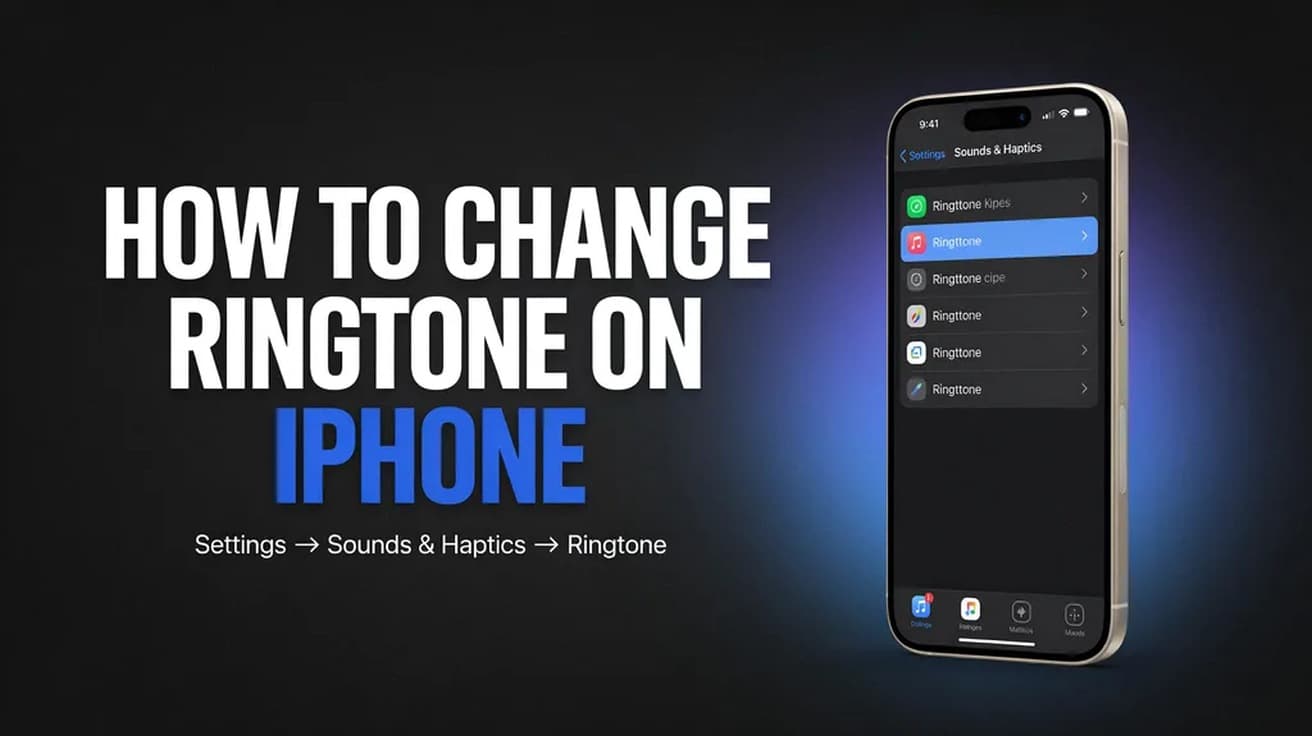
Open Settings, tap Sounds & Haptics, then tap Ringtone and tap any tone in the list. It applies the moment you tap it — there is no save button. On iOS 26 you can also turn any audio file shorter than 30 seconds into a ringtone straight from the Files app.
If you are searching for how to change ringtone on iPhone, the answer sits one level deeper than most people expect. It is not in the Phone app, and there is no ringtone app. It lives in Settings, under the same screen that controls text tones and alert sounds.
Two things are worth knowing before you start. Tapping a tone previews it and selects it at the same time, so your phone is already changed by the time you have heard it. And if you have two SIM lines, each line carries its own ringtone.
How to change ringtone on iPhone in Settings
1. Open the Settings app and scroll to Sounds & Haptics. It sits in the group with Notifications, Focus and Screen Time.
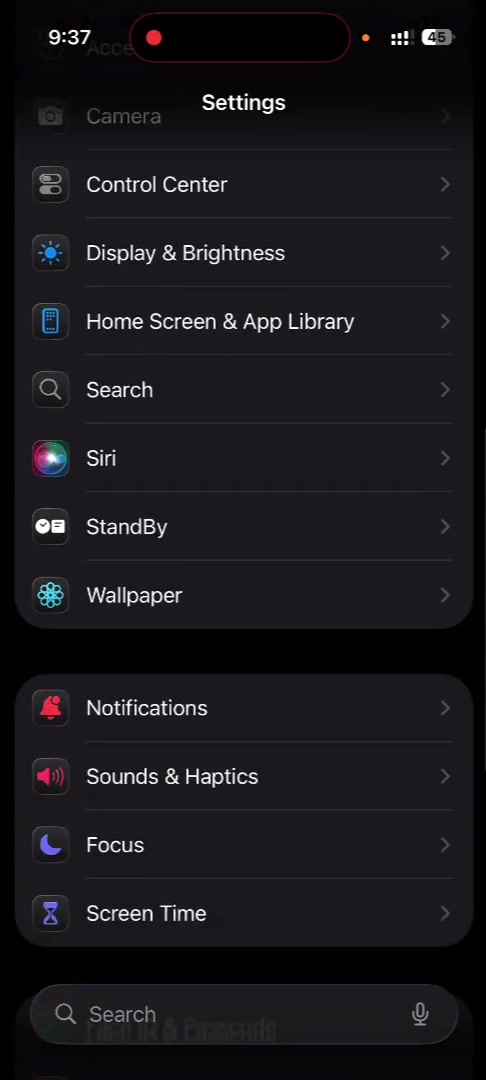
2. Tap Sounds & Haptics. The top of this screen is the ringer volume slider; the list below it is every sound your iPhone makes, starting with Ringtone.
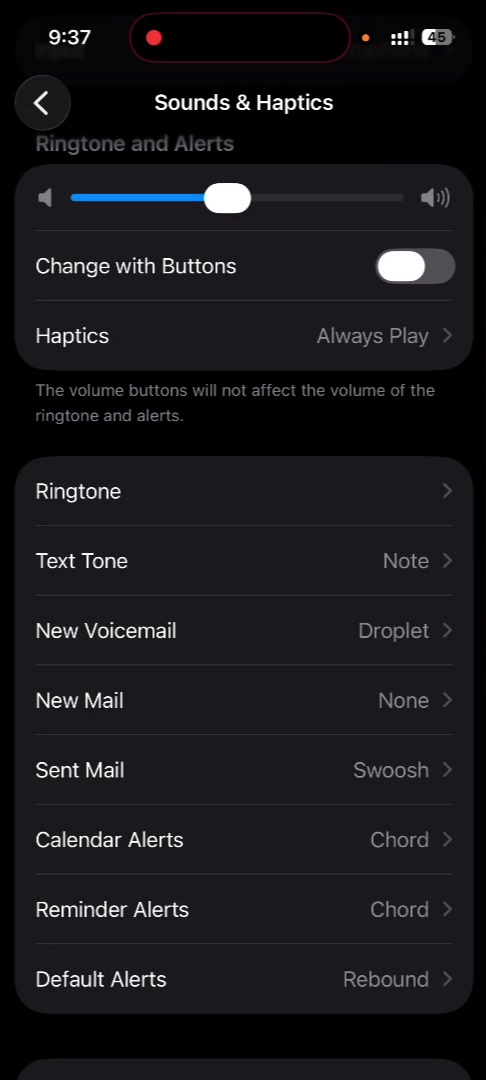
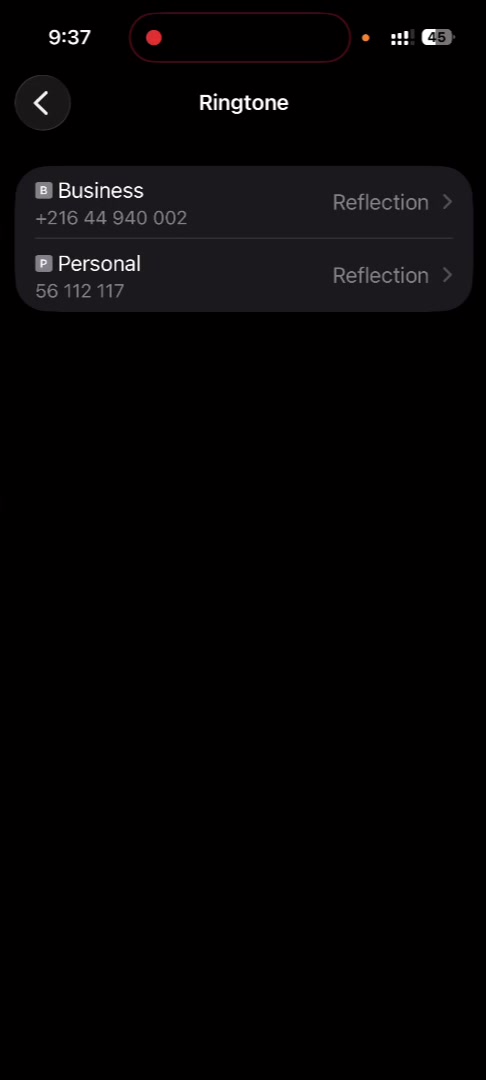
3. Tap Ringtone. On a single-SIM iPhone this opens the tone list directly. On a dual-SIM iPhone you get an extra screen first, listing each line with its current tone, and you pick the line you want to change.
4. Tap any tone to hear it. The check mark moves to it immediately — that tone is now your ringtone. Scroll for the full set; anything you have bought or made appears above the built-in tones.
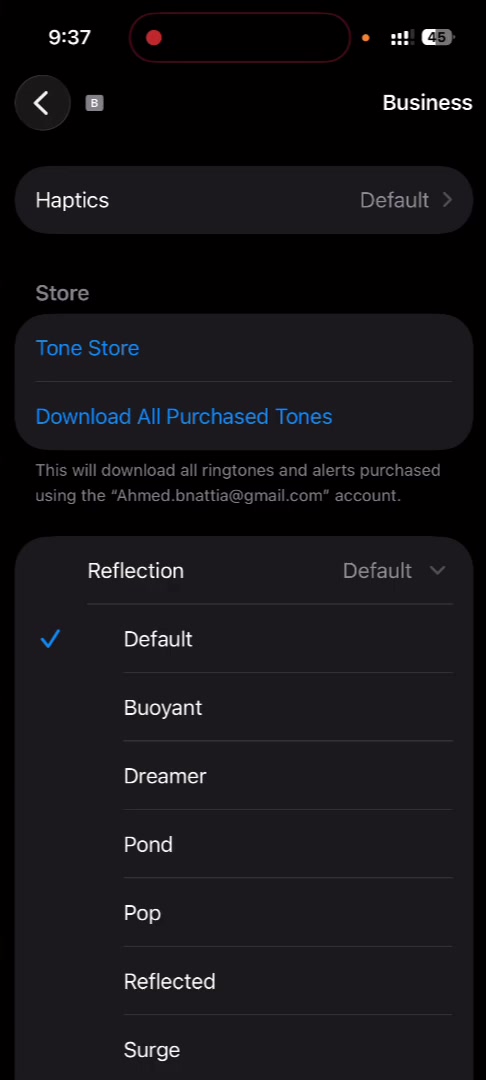
5. Tap the back arrow. There is nothing to confirm, and backing out does not undo your choice.
Use your own audio as a ringtone
iOS 26 removed the old GarageBand and iTunes-sync detour. Save an audio file to your iPhone, open it in the Files app, press and hold it, tap Share, then scroll down the share sheet to Use as Ringtone.
The file has to be 30 seconds or shorter, and it has to be a local file the Files app can see — not a track streaming inside Apple Music or Spotify. Reporting on the feature lists MP3, M4A, M4R, WAV, AIFF, AAC, FLAC and AMR as accepted formats. iOS drops you back into Settings with the new tone already selected.
If Use as Ringtone is missing from the share sheet, the usual cause is the length limit or a file stored in iCloud Drive that has not downloaded to the device yet. Trim the audio first, or tap the file once to pull it down, then try again.
Give one contact their own ringtone
A per-contact tone overrides the general one, so you can tell who is calling without looking. Open Contacts, tap the person, tap Edit, tap Ringtone, choose a tone, then tap Done twice.
That screen also has Emergency Bypass. Switching it on lets that contact's calls ring through silent mode and Focus. It is a separate control from the ringtone itself — changing one does not touch the other.
Buying tones from the Tone Store
Apple still sells ringtones. From Settings > Sounds & Haptics > Ringtone, tap Tone Store to open the store's Tones tab. Purchases are charged to the payment method on your Apple Account and appear at the top of your tone list.
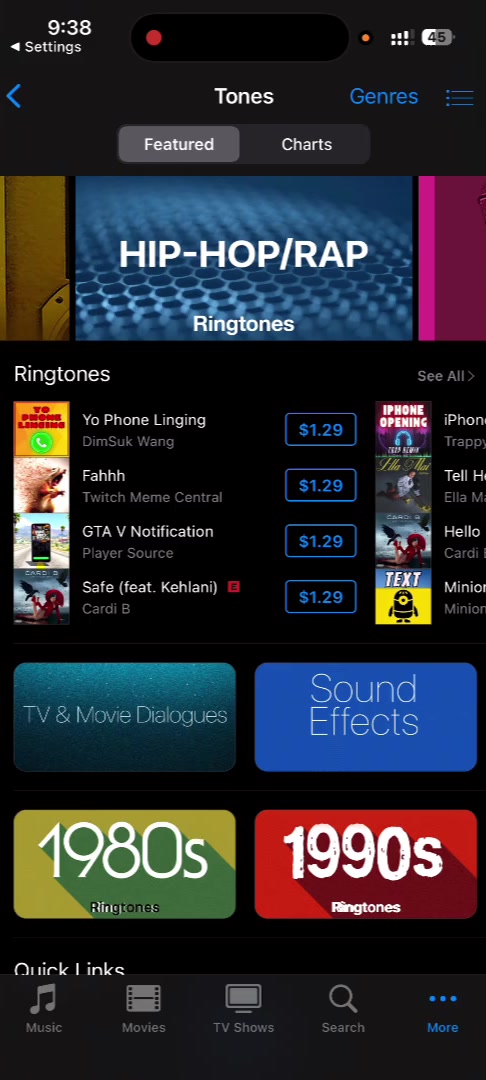
Switched to a new iPhone and your bought tones are gone? Tap Download All Purchased Tones on the same screen — it is visible in the fourth screenshot above.
What this does not change
The ringtone controls incoming calls only. Text Tone, New Mail and the other rows on the Sounds & Haptics screen are set separately, and a new ringtone leaves every one of them alone.
It also has no effect on alarms. Alarm sounds are chosen inside the Clock app, per alarm, and the ringer volume slider does not govern them either.
And it is local to the device. Nobody calling you hears your ringtone — the tone your caller hears is generated by their carrier's network, not by your phone. If you want a different name showing on your own device while you are in Settings anyway, that is a separate setting: see how to change your iPhone's name.
Common questions
Why is my ringtone silent after I changed it? Check the Ring/Silent switch on the side of the phone and the ringer slider at the top of Sounds & Haptics. A Focus mode will also suppress calls regardless of which tone is selected.
Can I set a tone longer than 30 seconds? Not through the Files app route. The 30-second ceiling is enforced by the Use as Ringtone action, so longer audio has to be trimmed first.
Do custom ringtones sync to a new iPhone? Tones you bought from Apple restore with Download All Purchased Tones. Tones you made yourself are tied to the device and generally need making again.
If the Ringtone option isn't there
If Sounds & Haptics has no Ringtone row, you are almost certainly on an iPad or iPod touch, where the label differs. If the row is there but greyed out, check Settings > Screen Time > Content & Privacy Restrictions, which can lock sound and store settings on a managed or child device.
On a work phone, a mobile device management profile can lock the same settings. Settings > General > VPN & Device Management will show whether one is installed, and only your IT administrator can lift it.