How to Recall an Email in Outlook (And When It Works)
Outlook recall depends on your account and organisation. Here are the steps, how cloud recall handles read messages, and where to check whether it worked.
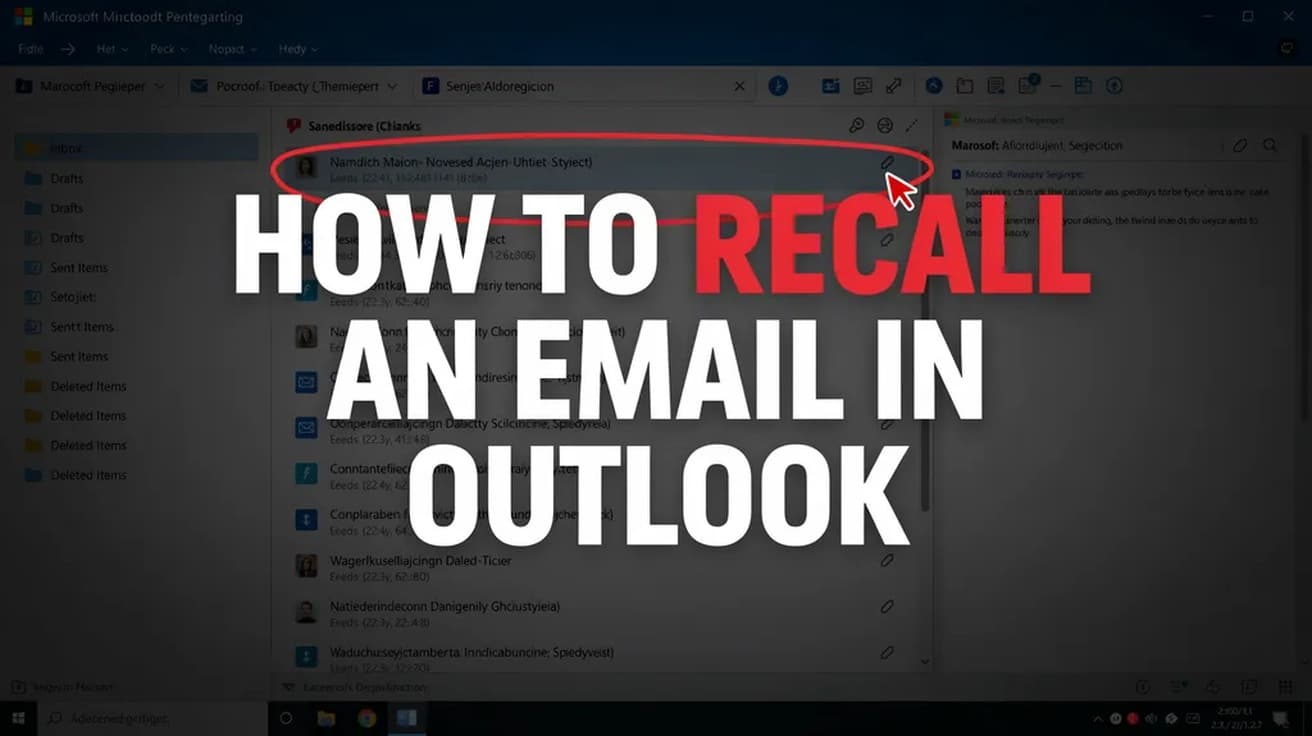
The short version of how to recall an email in Outlook: open Sent Items, double-click the message so it opens in its own window, then use Recall Message on the ribbon in new Outlook, or File > Info > Resend or Recall > Recall This Message in classic Outlook. Recall is available for supported Microsoft 365 work or school mailboxes. Exchange Online can recall read messages when the organisation allows it; personal email accounts cannot use recall.
That second sentence is the one that matters. Recall is not an undo button. It is a request sent to your own mail server asking it to reach into another mailbox in the same organisation and remove a message that has already been delivered.
Personal Gmail, Hotmail and Outlook.com accounts cannot use recall. Cloud recall normally stays within an organisation, although a receiving Microsoft 365 organisation can explicitly allow recalls from a trusted external tenant. Ask your administrator about that exception; it is not an option you can enable for a recipient yourself.
How to Recall an Email in Outlook: The Exact Path
The steps below are the classic Outlook for Windows route, which is what the screenshots show. New Outlook is shorter and covered in the next section.
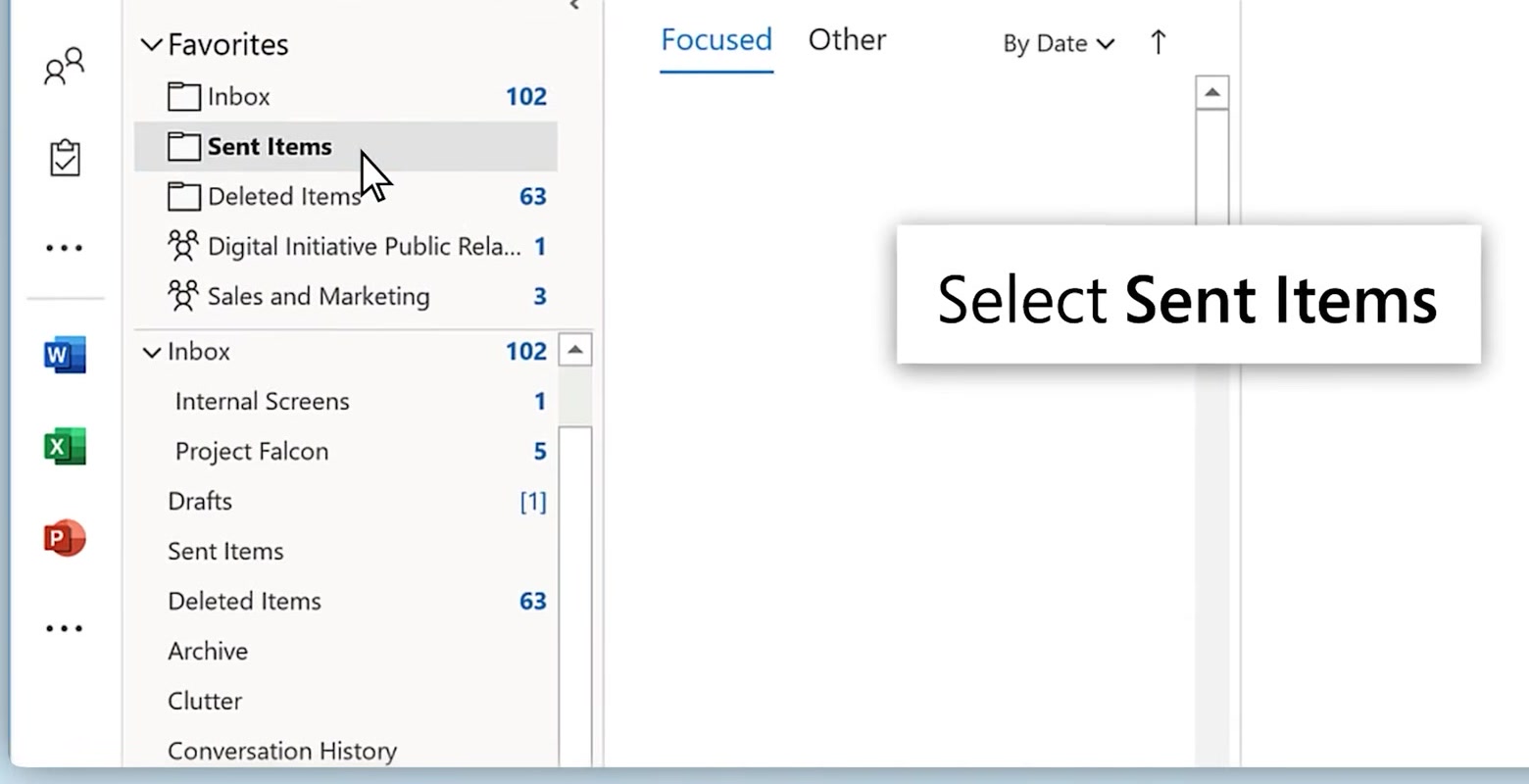
1. In the folder pane on the left, select Sent Items. Recall works on messages that have already left, so nothing in the Inbox or Drafts is relevant here.
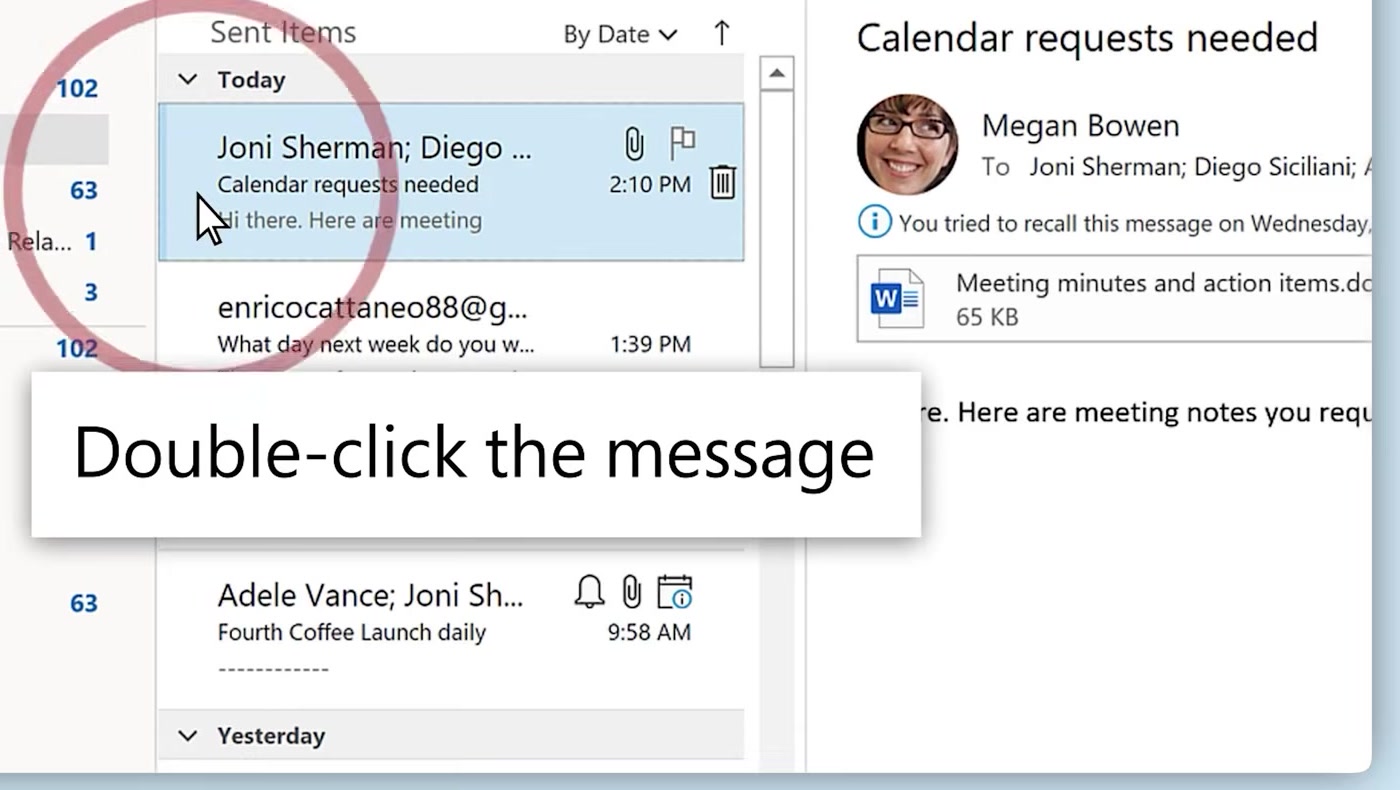
2. Find the message and double-click it so it opens in its own window. This step trips people up: selecting the message in the reading pane is not enough, because the recall command only appears on an open message.
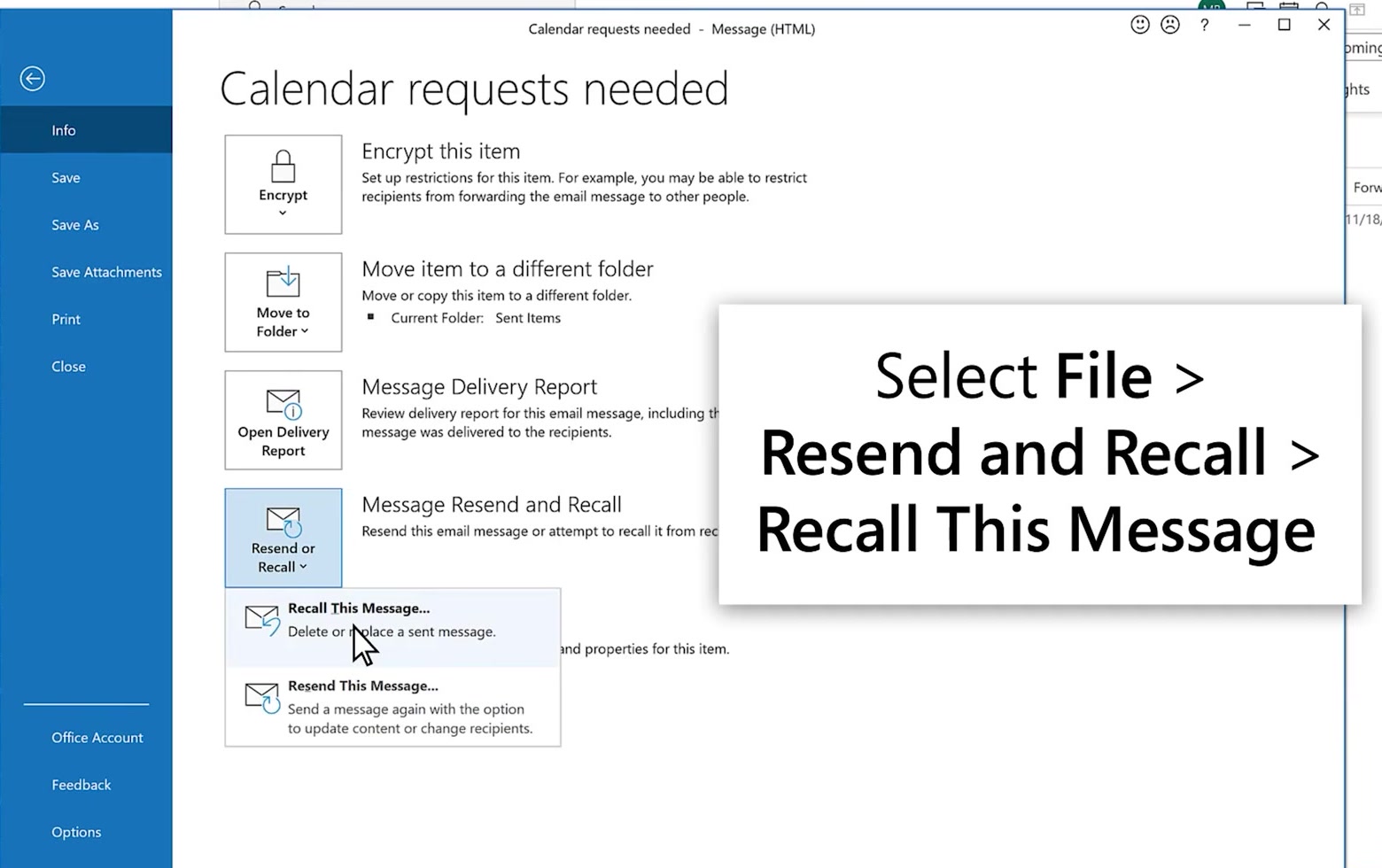
3. In the open message, go to File > Info, choose Resend or Recall, then Recall This Message.
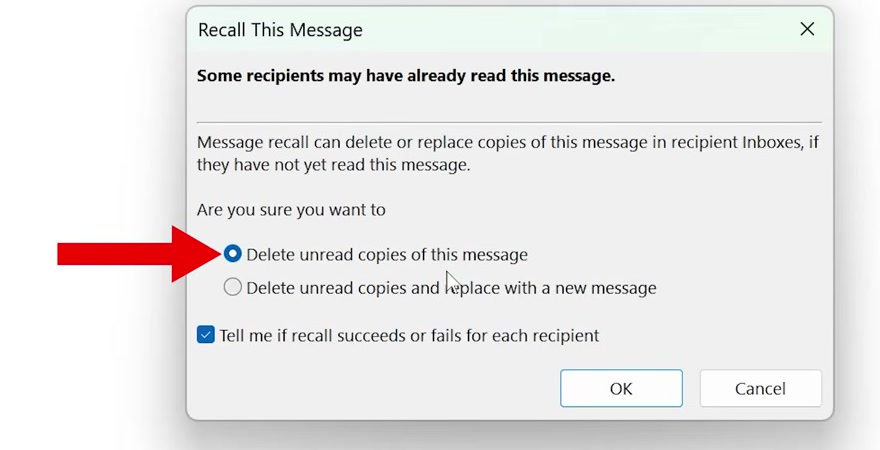
4. Select the delete option, or the delete-and-replace option if you need to send a correction. The classic dialog still says unread copies, but Exchange Online's cloud recall can include read messages if the organisation permits it.
5. Select OK, then check the Message Recall Report when it arrives. For cloud recall, use that report to verify each recipient's result rather than relying on the legacy notification checkbox.
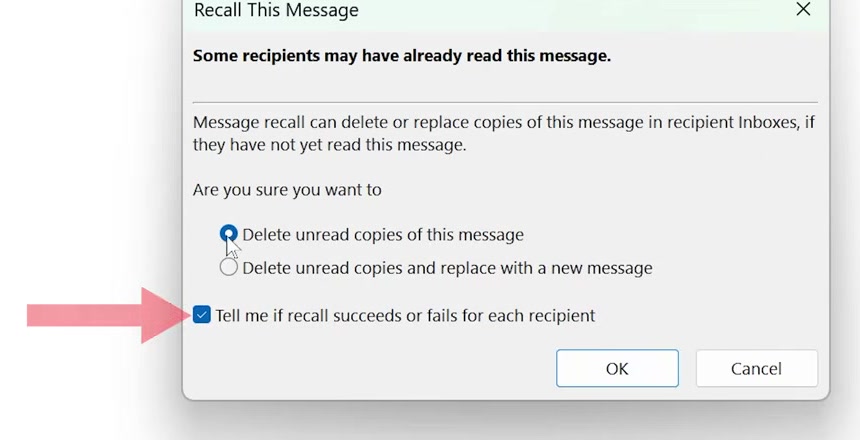
The report confirms whether each recall succeeded, failed or is pending. A submitted request does not itself confirm that a message was removed.
Platform variants: new Outlook, the web, Mac and Outlook.com
New Outlook for Windows collapses the whole thing. Open the message from Sent Items in its own window and select Recall Message on the ribbon, then OK. There is no two-option dialog — the replace-with-a-new-message choice is a classic Outlook feature.
Outlook on the web supports recall for eligible work or school accounts. Open the message from Sent Items in its own window, select Recall Message, then confirm. If the control is missing, check your account type and your organisation's policy.
Outlook for Mac has its own separate procedure and its own support article; the Windows steps above will not match what you see.
Outlook.com and other personal accounts get Undo Send instead, which is a different feature and a far more dependable one. Go to Settings > Mail > Compose and reply and set the undo send delay — up to 30 seconds. During that window the message has not been sent at all, so cancelling it always works. Recall, by contrast, is a request that can be refused.
What recall does not do
Reading a message does not automatically prevent cloud recall. Your administrator controls whether read messages can be recalled. Microsoft's Exchange Online documentation explains how cloud recall differs from the older client feature.
Recall cannot retrieve ordinary internet mail from Gmail or other services outside Exchange Online. Cross-tenant recall is a limited exception requiring the receiving organisation to enable it and allow-list the sender's tenant.
Recall does not erase screenshots or other copies someone has made. Manually forwarded messages and messages forwarded by an Inbox rule are not recalled. Check the report for the original recipients instead of assuming that an offline device or a moved message proves success or failure.
It is also not the same thing as unsending in a messaging app. If you are after that behaviour on a phone, the mechanics are closer to how you unsend a message on iPhone — a short fixed window, applied before the other side has really received it.
Organisations can also enable notifications to recipients when messages are recalled. Do not assume that a recall attempt is invisible.
Common questions
How long do I have? Recall eligibility depends on your organisation's maximum message-age setting. Check with your administrator and submit promptly.
Can I recall a message sent to several people? Yes. Results can differ by recipient, so review each result in the Message Recall Report.
Should I just send a correction instead? Often, yes. A short follow-up saying "ignore my last email, correct figures below" costs you nothing and works on every recipient, including the ones recall cannot touch.
If the option isn't there
No Recall Message button and no Resend or Recall entry almost always means the account is not an Exchange or Microsoft 365 work account. Check which account the message was sent from, not just which one you are reading.
If it is a work account and the option is still missing, your administrator may have disabled message recall for the tenant, or you may be on a version that predates the feature. That is an IT question rather than a settings one, so ask your admin before spending more time on it.