How to Reset Instagram Algorithm (and What It Changes)
Instagram has a built-in control that wipes the recommendations behind your Feed, Explore and Reels. Here is where it lives, what it clears, and what it deliberately leaves alone.
Open your Instagram profile, tap the three-line menu, then go to Settings and activity > Content preferences > Reset suggested content. Work through the two review screens and confirm. Instagram clears the recommendations it serves you across Feed, Explore and Reels, and starts rebuilding them from scratch.
Instagram has no button labelled reset Instagram algorithm, but it does have a control that does that job. Added in late 2024, it clears the recommendation signals the app has built up about you, which Meta describes as clearing recommended content across Explore, Reels and Feed. So if your Explore tab stopped looking like anything you care about, you do not need to delete the app or start a new account.
The reset is blunt on purpose. It does not edit your interests one by one, and it cannot be reversed. What follows is the current path, the exact wording you will see on screen, and the things the reset does not touch.
How to reset Instagram algorithm from Settings
The control lives in the Instagram mobile app. Instagram's help page for the feature is listed for iPhone and Android only, and Meta's announcement describes no desktop route.
1. Open the Instagram app and tap your profile picture in the bottom-right corner.
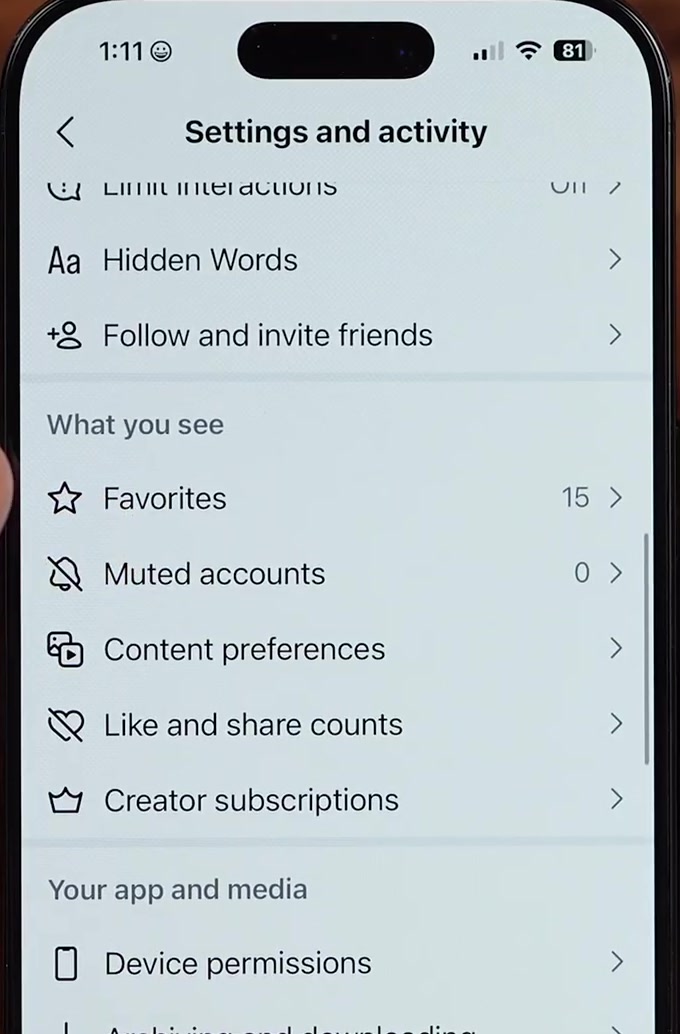
2. Tap the three-line menu in the top-right corner, then tap Settings and activity. Scroll to the section headed What you see and tap Content preferences.
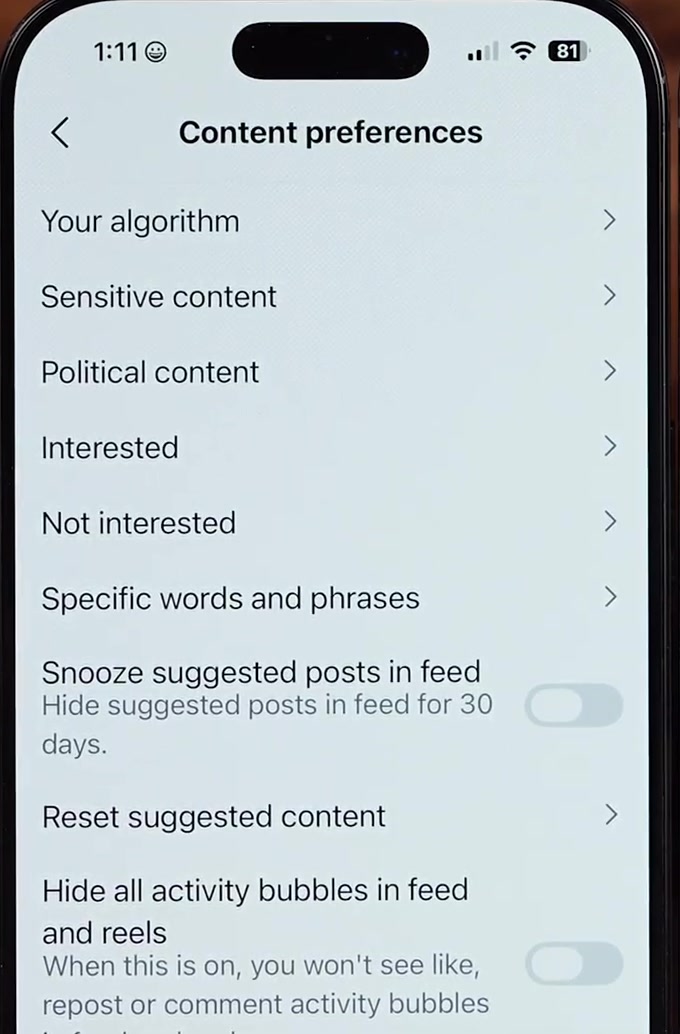
3. On the Content preferences screen, scroll past Interested, Not interested and Snooze suggested posts in feed, then tap Reset suggested content.
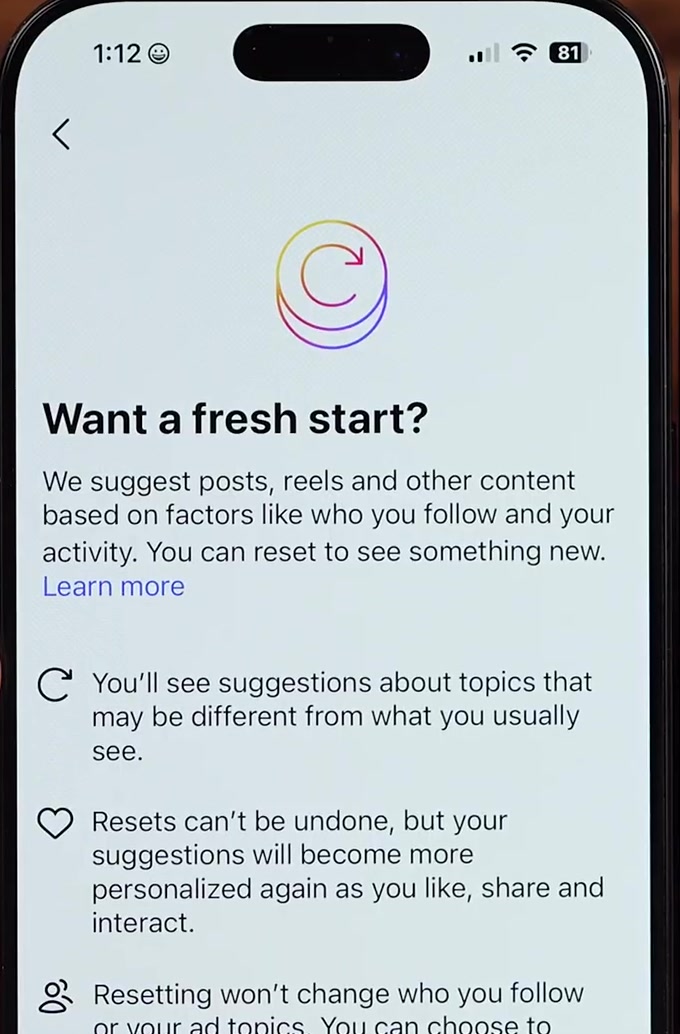
4. Instagram shows a screen headed Want a fresh start? that explains what the reset will do. Read it and tap Next.
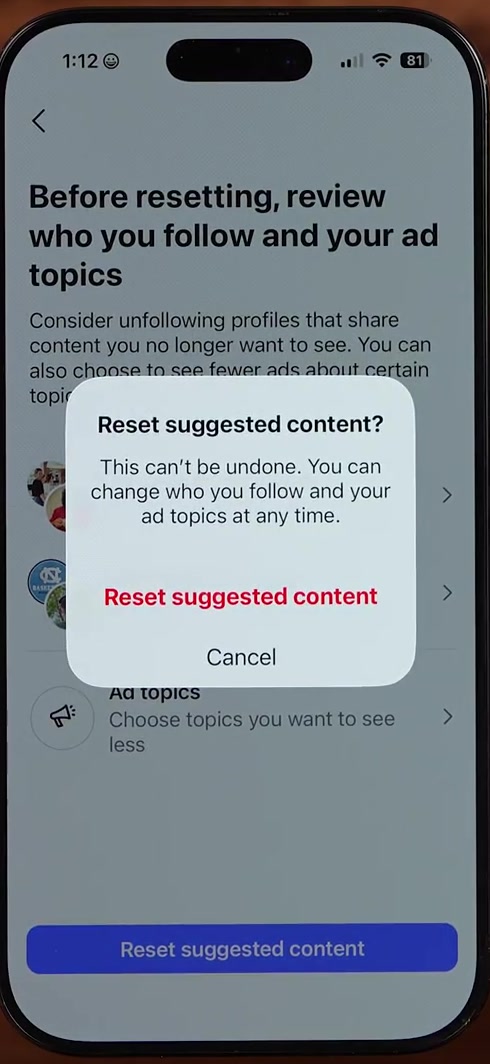
5. You then land on Before resetting, review who you follow and your ad topics. This is an optional clean-up step, not part of the reset itself. Tap Reset suggested content and confirm in the dialog that asks Reset suggested content?
Trimming your interests instead of wiping them
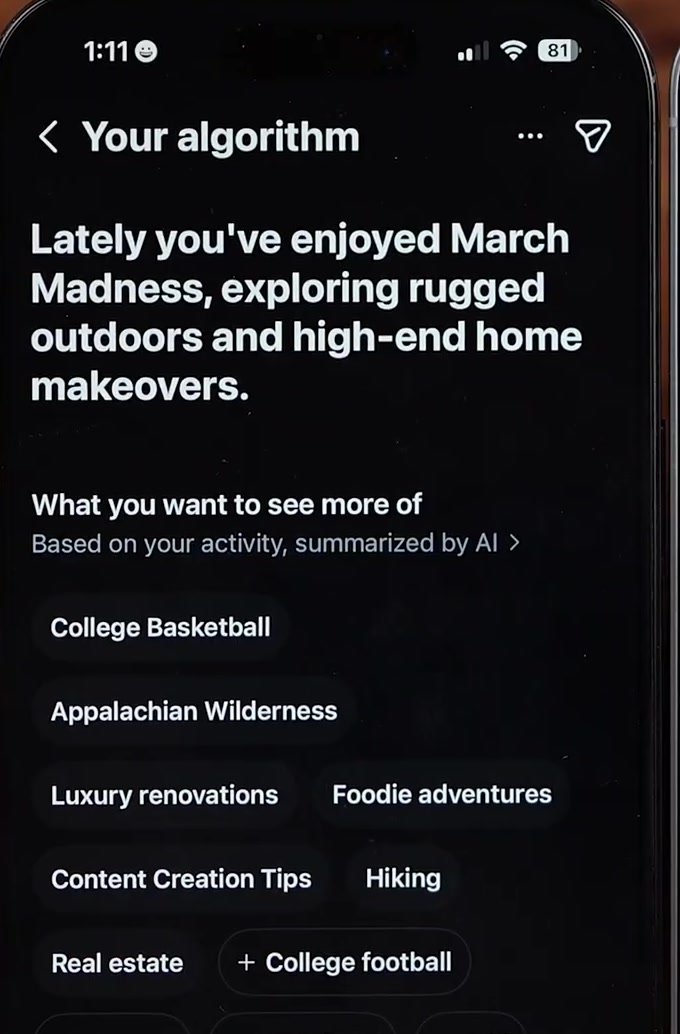
A full reset is not always what you want. Content preferences also holds a screen called Your algorithm, which summarises what Instagram thinks you have been enjoying and lists the topics behind it under What you want to see more of. Individual topics can be adjusted there, which is a lighter touch than clearing everything.
Two older controls still work alongside it. Tapping the three-dot menu on a post and choosing Not Interested teaches the feed in small corrections. And on a suggested post, tapping the X lets you snooze all suggested posts for 30 days, which Content preferences also exposes as the Snooze suggested posts in feed toggle.
If the problem is a handful of specific accounts rather than the recommendations, muting or pruning is more precise than a reset. We cover both in muting someone on Instagram and removing followers on Instagram.
What the reset does not do
The in-app text is specific: resetting will not change who you follow or your ad topics. Your posts, stories and messages are untouched, and the reset is not an account deletion or a new account.
It also does not empty your feed. Instagram keeps serving recommendations after a reset; they are simply drawn from a blank slate rather than your accumulated history. Meta says recommendations start to personalise again over time based on what you interact with, but publishes no timeframe for how long that takes.
One point worth flagging: guides disagree about whether clearing the app's cache resets your suggestions. Instagram's own materials do not describe cache clearing as a reset, so the in-app control is the only route the company documents.
Common questions
Can I undo it? No. Both the intro screen and the confirmation dialog say the reset cannot be undone. The unfollowing you do in the review step is separately reversible, because you can follow those accounts again.
Does it unfollow people for me? Not automatically. Meta describes the follow review as an option offered alongside the reset, and the app's own wording confirms that resetting on its own leaves your follows in place.
Will it stop suggested posts appearing? No. If you want fewer suggestions rather than different ones, the 30-day snooze is the control that does that.
If the option isn't there
Update the app first, since the control arrived in a 2024 release. If Reset suggested content still does not appear under Content preferences, note that sources disagree on availability: some report the feature as fully rolled out globally, while others describe it as still reaching accounts gradually. Meta's announcement framed it as a test that would roll out globally and said everyone on Instagram, including teens, would be able to reset.
In the meantime, the snooze toggle and the Not Interested control are available to everyone and work on the same surfaces.