
How to Tag Someone on Instagram (Posts and Stories)
Tagging on Instagram happens in three different places, and each one behaves slightly differently. Here is where the option lives and what it actually does.
To tag someone in an Instagram post, tap Tag people on the final screen before you share, tap the photo, then search for and select their username. In a Story or Reel, use the @mention sticker or type @ followed by their username. Either way, the person you tag gets a notification.
Knowing how to tag someone on Instagram is mostly a matter of knowing where the option hides, because it lives in a different place depending on what you are posting. A feed post has a dedicated Tag people screen. A Story does not — there you use a sticker or plain @ text instead.
One thing worth understanding before you start: a tag is a link to an account, not a label you attach to a stranger. The person you tag is notified, the tag is clickable, and in most cases the post also appears in their Tagged tab. That is a good reason to get the username right the first time.
Where the Tag people option lives
1. Pick your photo or video as normal and tap through to the screen with the caption box on it. This is the last screen before your post goes live, and it is where Tag people sits, just under the hashtag and poll shortcuts.
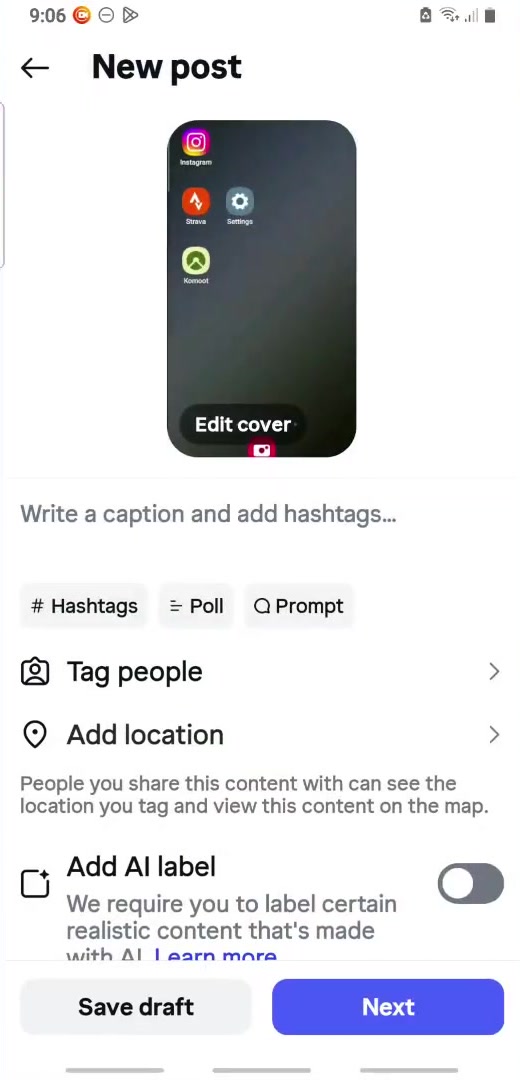
2. Tap Tag people, then tap the spot on the photo where you want the tag to sit. A search box opens.
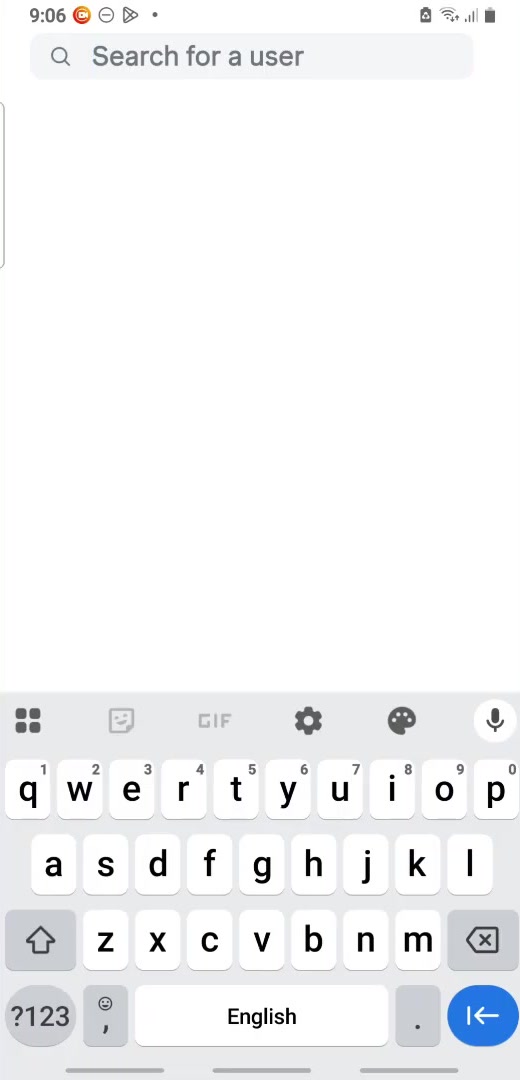
3. Type the username. Instagram matches as you type, and accounts you already follow tend to surface first. If nothing comes up, check the spelling — usernames are not the same as display names, and a person's display name will not find them.
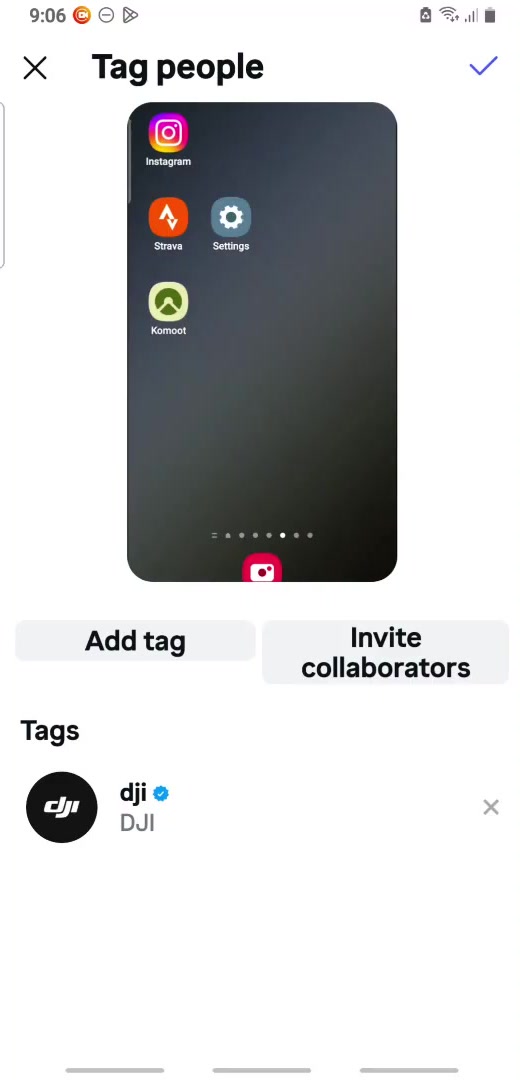
4. Tap the correct account, then confirm with the tick or Done. The tag appears in a list under the photo, and you can remove it there with the X before you post.
5. Go back, finish your caption and share. If you forgot someone, open the published post, tap the three dots, choose Edit, then Tag People, and add them there.
How to tag someone on Instagram in a Story or Reel
Stories have no Tag people screen. Instead, open the sticker tray and choose the @mention sticker, then type the username and pick the account from the list. You can drag and resize the sticker like any other.
The plain-text route works too: tap to add text, type @ and the username, and tap the suggestion that appears. Either method produces a tappable link to that profile and sends the person a notification.
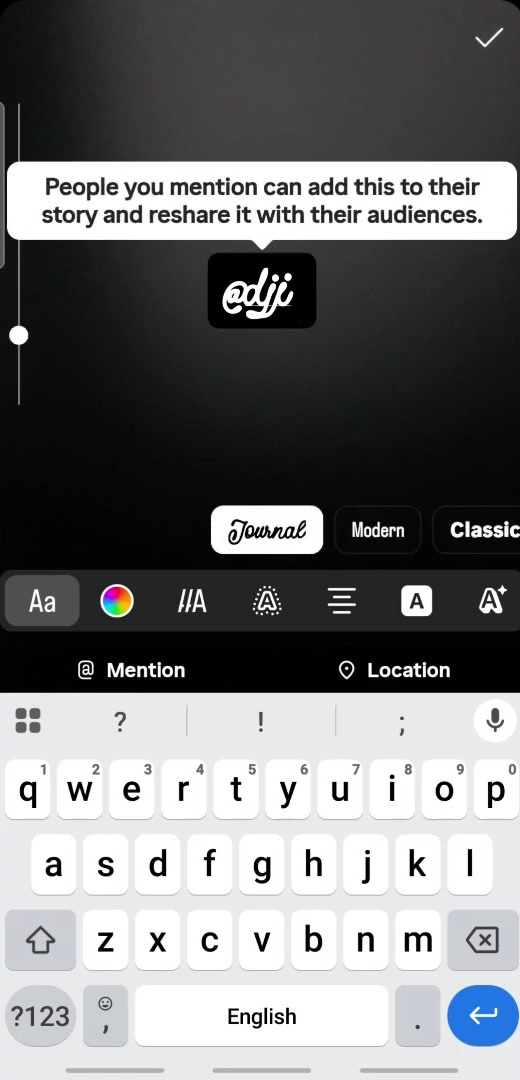
Reels work the same way as Stories for on-screen mentions, and the same way as posts if you tag in the caption.
Tagging in a caption or a comment
Typing @ followed by a username inside a caption or a comment creates a link too. It is the quickest option, and it is the one to use when the account is relevant to what you are saying rather than actually pictured.
The practical difference is placement: a caption mention is visible to anyone who reads the caption, while a photo tag is hidden until someone taps the image. Marketers tend to use both. There is no need to tag the same account twice, and repeatedly tagging accounts that have nothing to do with your post is the fastest way to get muted.
What tagging does not do
A tag is not a hashtag. The @ symbol links to one specific account; the # symbol groups your post with every other post using that word. They are separate systems that happen to share a text box.
A tag also does not override the other person's settings. Under Settings and privacy → Tags and mentions, anyone can restrict who is allowed to tag them and can switch on Manually approve tags, which keeps your post out of their Tagged tab until they approve it. They will still be notified.
And a tag does not change who can see your post. If your account is private, only your approved followers see it, tagged or not — the same rule that applies when you make an Instagram account private.
One recent wrinkle is worth knowing. On 10 September 2026 Instagram launched Add to Grid, which lets people put posts they were tagged in onto their main profile grid rather than leaving them in the Tagged tab. According to Instagram's description of the feature, the grid tile points at your original post rather than copying it, so visibility depends on both accounts' privacy settings — if your account is private, some of their followers will not see it at all.
Common questions
Does the person know I tagged them? Yes. Tags and mentions both generate a notification, in posts, Stories, Reels and comments alike.
Can I tag a private account? You can mention a private account, but people who do not follow that account cannot open the profile from your tag, and it will not appear on the private profile for outsiders to find.
What is Invite collaborators? It is the button next to Add tag on the same screen, and it does something different: a collaborator who accepts shares the post itself, which then appears on their profile as well as yours. Tagging just credits someone. If tagging is turning into a nuisance from one particular account, you can quietly mute that person on Instagram instead.
If the option isn't there
If Tag people is missing from the share screen, you are most likely on a Story or Reel rather than a feed post — use the @mention sticker instead. If it is missing from a feed post, update the app, since tagging controls move between screens fairly often.
If the username will not come up in search, the account may have blocked you, restricted who can tag them, deactivated, or simply changed its username. Open their profile from a chat or from search first and copy the handle exactly as it appears there.