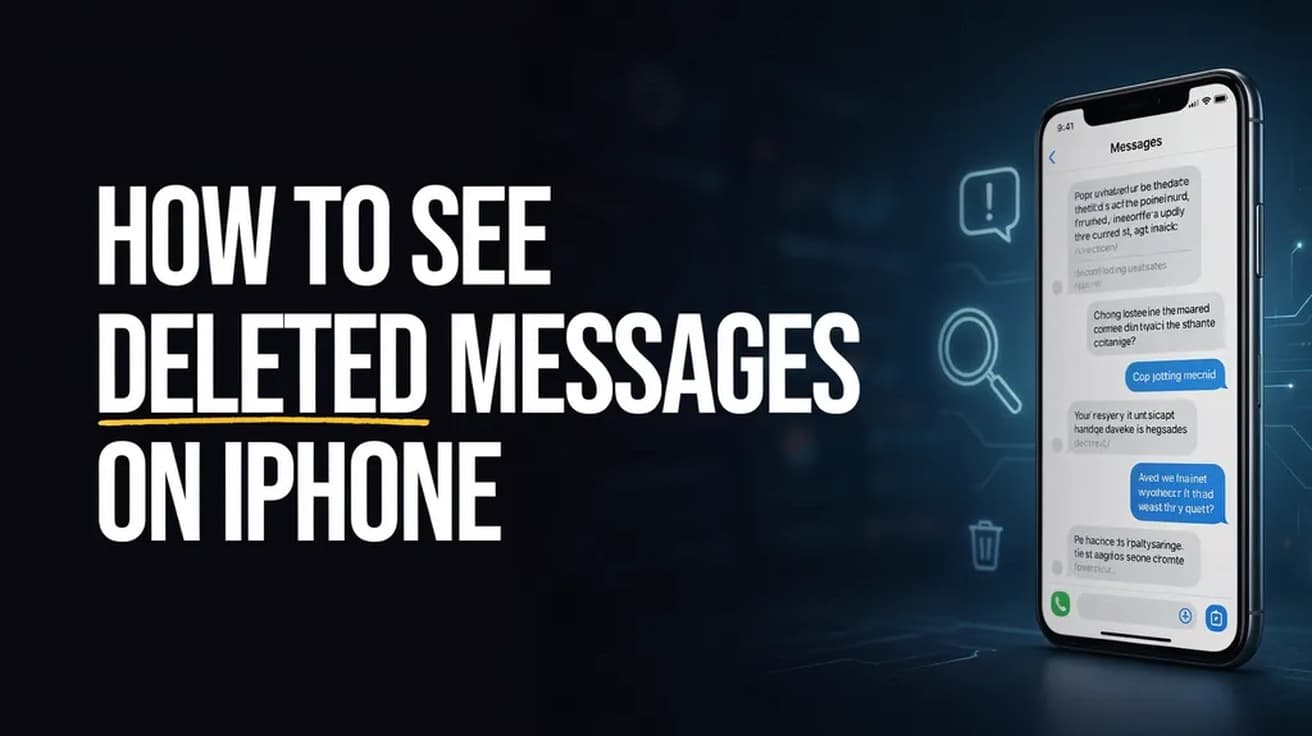
How to See Deleted Messages on iPhone (40-Day Window)
Messages holds deleted conversations for about 30 to 40 days before erasing them. Here is where that folder lives and how to pull a thread back out of it.
 By Daniel ShuttleworthSep 4, 2026
Open Messages, tap the Filters button at the top of the conversation list, then tap Recently Deleted. Select the conversations you want back, tap Recover, and confirm. Anything you deleted in roughly the last 30 to 40 days is still sitting there.
Deleting a thread on an iPhone stopped being final in iOS 16. Messages now moves deleted conversations into a holding area and keeps them for a set number of days before erasing them properly, so you can see deleted messages on iPhone for weeks after you got rid of them.
Two conditions decide whether this works for you. The iPhone needs iOS 16 or later, and the message must have been deleted after you updated to that version — anything you deleted on an older release was erased immediately and is not coming back. The second limit is time, and Messages tells you exactly how much of it each conversation has left.
How to see deleted messages on iPhone
1. Open Messages and go back to the main conversation list, the screen that lists every thread rather than a single chat.
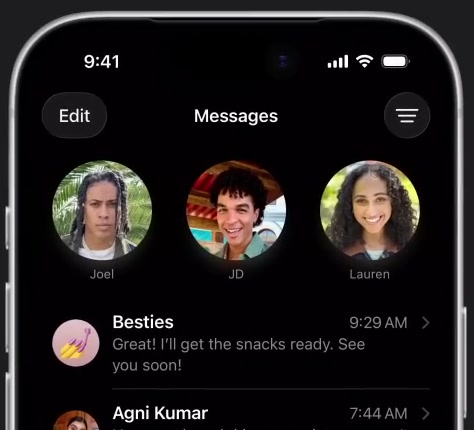
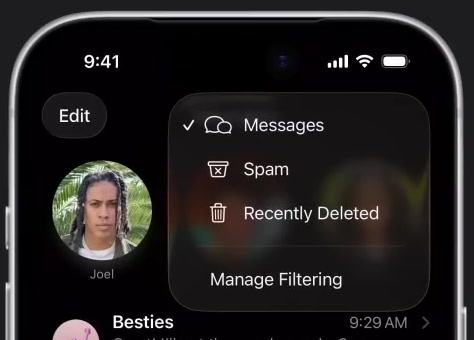
2. Tap the Filters button in the top right corner, then tap Recently Deleted in the menu that drops down. The same menu also holds Messages and Spam, which are just other views of your inbox.
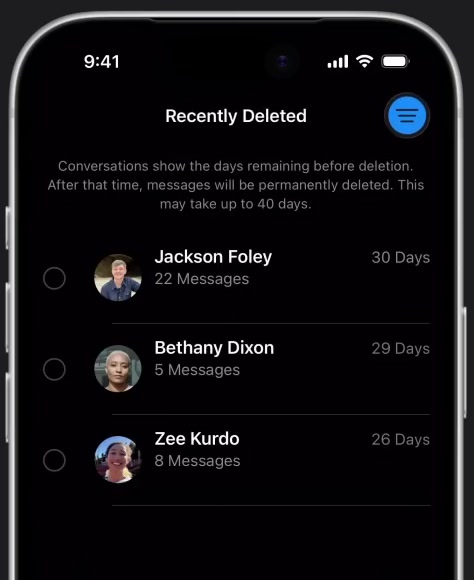
3. Read the counter on the right of each row before you do anything else. Every conversation shows the days it has left, and the on-screen note explains that after that time the messages are permanently deleted.
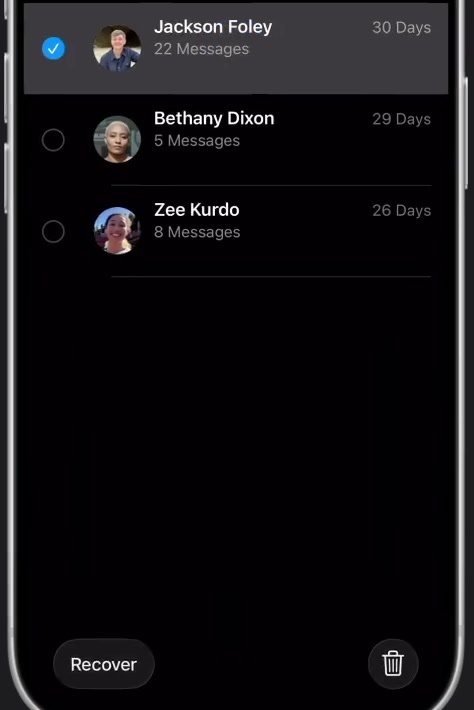
4. Tap the conversations you want to restore so a blue tick appears beside them, then tap Recover at the bottom of the screen. Recover All is there too if you want everything back at once.
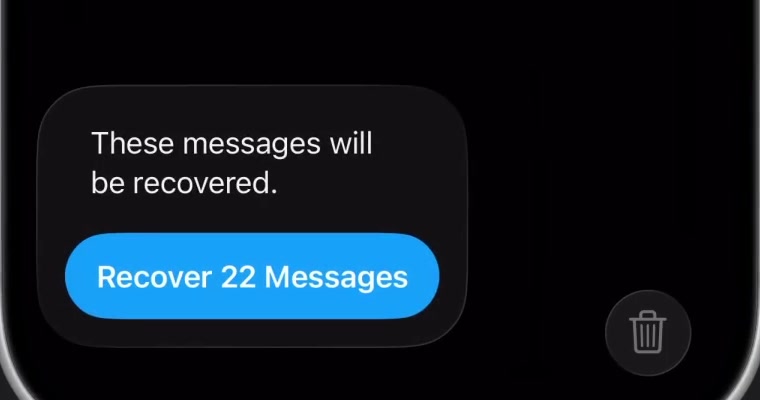
5. Confirm with Recover [Number] Messages. The thread returns to your conversation list in its original position, with its messages and timestamps intact.
What the day counter actually counts
Apple describes the recovery window as roughly 30 to 40 days rather than a fixed figure, and the wording on the Recently Deleted screen matches that — it warns that permanent deletion may take up to 40 days. The practical reading is that 30 days is the number to plan around and anything beyond it is a bonus.
Once a conversation drops off this list, Messages has no way to bring it back. Deleting something from Recently Deleted by hand has the same effect, immediately.
If your iPhone shows Edit instead of Filters
The button moved between releases. On iOS 18 you tap Edit in the top left of the conversation list, then Show Recently Deleted. On iOS 16 and 17, and again on current versions, it is the Filters button in the opposite corner. The destination is identical either way — only the label and the corner change.
If you are not sure which you are on, tap whichever of the two your screen actually shows. Both open a short menu with Recently Deleted in it.
What recovering a message does not do
Recovery works on your account, not on anyone else's. Apple's documentation describes the restore as affecting your iPhone and, if you use Messages in iCloud, your other devices signed in to the same Apple Account. It does not describe any notification being sent to the other person, and it gives you no way to restore a message on their device.
It is also worth separating this from unsending a message, which is a different feature with a much shorter clock. Unsending pulls a message off the recipient's screen within two minutes of sending it. Deleting removes a thread from your own phone only, and Recently Deleted is the undo for that.
Finally, this covers the Messages app alone. Conversations in WhatsApp, Instagram, Signal or any other messaging app have their own deletion rules and are untouched by anything on this screen.
Common questions
Can I recover a single message rather than a whole conversation? Recently Deleted works at conversation level — you select threads, not individual bubbles. When a thread comes back, the messages that were deleted with it come back too.
What about messages deleted more than 40 days ago? The only route Apple offers is restoring a full device backup from a date before the deletion, and that replaces everything currently on the iPhone with the contents of that backup. It is a heavy trade for one thread, and worth thinking about carefully before you start.
Does this need iCloud turned on? No. Recently Deleted works on the device by itself. Messages in iCloud only changes the reach — with it on, recovering on one device recovers across all of them.
If Recently Deleted isn't there
An empty or missing folder usually means one of two things. Either the window has already closed on everything you deleted, or the iPhone is running iOS 15 or earlier, where the feature does not exist. Check under Settings, then General, then Software Update.
If you are on a current version and the folder is genuinely empty, there is nothing left on the device to recover, and third-party recovery tools are working against the same erased data. At that point a backup from before the deletion is the only honest option left.