How to Stream Netflix on Discord (No Black Screen)
Screen sharing Netflix in a Discord call works, but only if you turn off your browser's graphics acceleration first. Here is the whole sequence, plus what to do when viewers still see black.
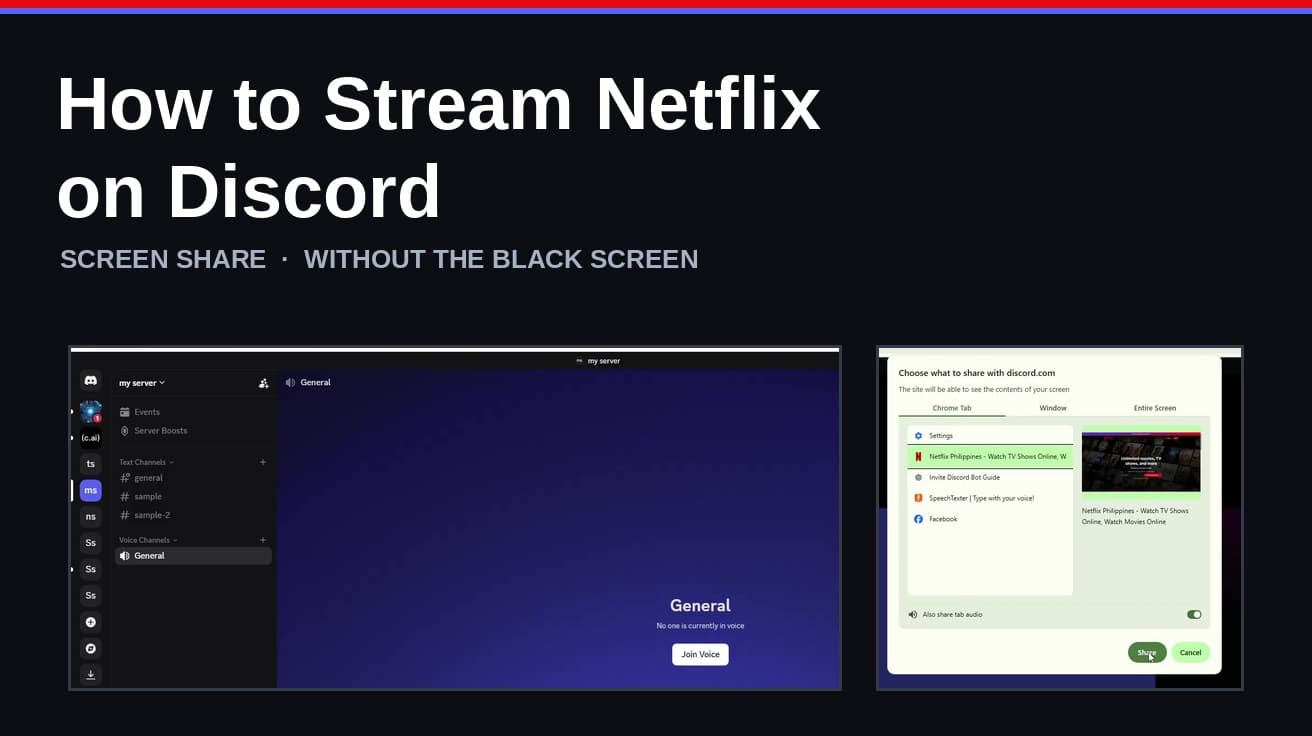
To stream Netflix on Discord, open Netflix in a desktop browser, turn off that browser's graphics acceleration, then join a Discord voice channel and click Share Your Screen. Pick the Netflix tab or window and go live. Skipping the acceleration step is what leaves your friends staring at a black rectangle.
Netflix protects its video with DRM, and that protection is what breaks screen sharing. The picture is decoded by your graphics card in a layer the capture never sees, so Discord sends everything on the page except the film.
Turning off graphics acceleration pushes decoding back onto the processor, where the capture can reach it. It is a browser setting, it applies to everything you watch in that browser, and you can turn it back on afterwards. One thing worth knowing before you start: Netflix's Terms of Use say the service is for "personal, non-commercial use only" and not for "public performances", so this is a feature for a few friends, not an audience.
How to stream Netflix on Discord in six steps
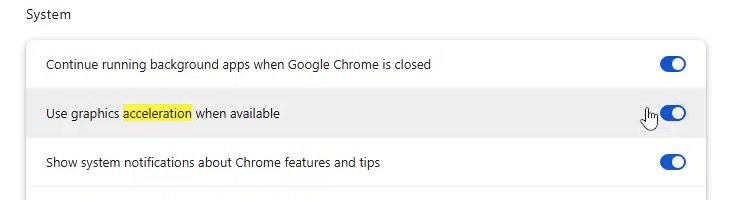
1. In Chrome or another Chromium browser, open Settings, search for acceleration, and turn off Use graphics acceleration when available. Relaunch the browser when it asks. In Firefox the equivalent lives under Settings > General > Performance, where you uncheck the recommended settings first.
2. Open Netflix in that same browser, sign in, and start the film or episode you want to watch. Leave it playing or paused on the video page rather than on a menu.
3. Open Discord, go to your server, and join the voice channel your friends are in. Click the channel name, then Join Voice.
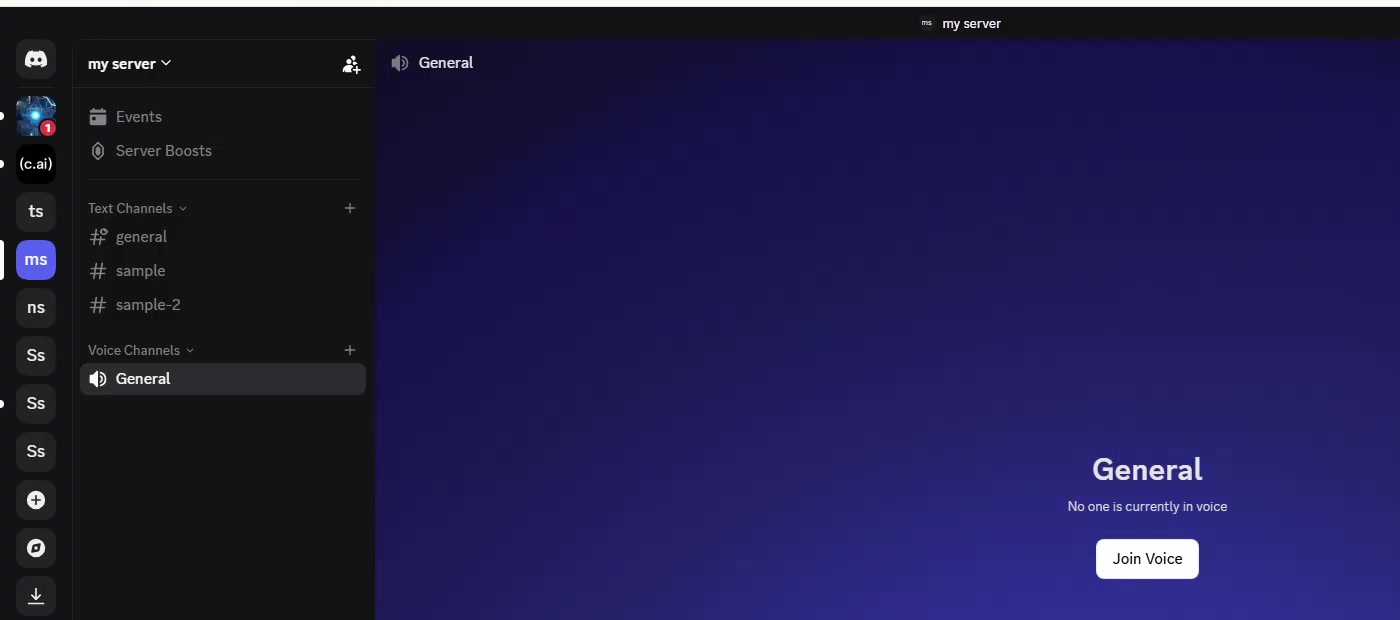
4. In the voice panel at the bottom left, click the screen icon labelled Share Your Screen.

5. Choose what to send. In the Discord desktop app you pick an application window or a whole screen, then click Go Live. In a browser, Chrome's own picker opens instead: choose the Chrome Tab holding Netflix and leave Also share tab audio switched on.
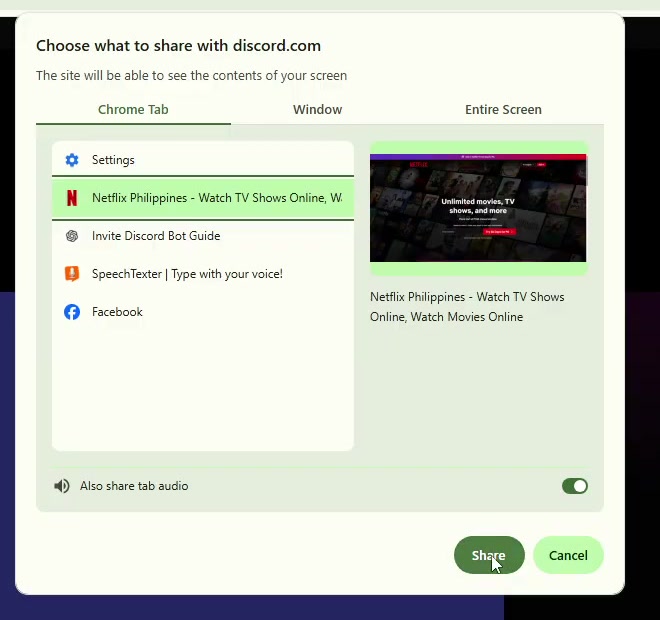
6. Click Share, then press play. Everyone in the channel sees the same frame at the same moment, and only you can pause, skip or change subtitles.
If your friends still see a black screen
Ask one of them, because your own preview is not a reliable test. If the picture is black for them, work down this list.
Turn off hardware acceleration in Discord as well: the gear icon beside your name, then Advanced, then Hardware Acceleration off. Discord restarts itself.
In Settings > Voice & Video, switch off the OpenH264 Video Codec and H.264 Hardware Acceleration options, and turn on the newer screen capture technology under the Screen Share heading.
If it is still black, clear the browser cache and try with extensions disabled, or clear Chrome's cache properly and restart. A VPN extension sitting between the browser and Netflix can also be the culprit. Failing all of that, a different browser is a faster fix than more settings.
Desktop app, browser or phone
The desktop app and the browser both work, and the steps diverge only at the picker. The app shows Discord's own window chooser with a Go Live button; the browser hands the job to Chrome. If Discord and Netflix are open in the same browser, share the Netflix tab rather than the Discord one.
Phones are the exception. Netflix's DRM blocks capture on the Discord mobile apps, so there is no setting that makes it work from an iPhone or an Android handset. Use a computer.
Quality is capped at 720p and 30 frames per second on a free account. Discord documents higher resolutions and frame rates for Nitro subscribers, up to 4K and 60fps, and notes that stream quality cannot be adjusted at all when you are streaming through a browser rather than the app.
What streaming Netflix on Discord does not do
It is not a watch party. There is no shared queue and no synced playback engine underneath: your viewers are watching a video of your screen, so they cannot pause, rewind or pick their own subtitles. If someone joins late they come in wherever you are.
It does not give anyone else a Netflix account. Viewers are watching your session, which is exactly why the terms above matter.
And it does not carry audio in every configuration. Discord's own documentation says screen share audio is captured on the Windows and macOS desktop apps, in Chrome and on mobile clients, but not on Linux or in other browsers. On the browser route, audio depends on Also share tab audio being left on.
Common questions
Do I have to turn graphics acceleration back on? Not immediately, but you will want to. With it off, video playback and scrolling lean on the processor, which is slower and warmer. Turn it back on once movie night is over.
Do I need to add my browser under Game Activity? Older guides tell you to register the browser as a game before Discord will stream it. The current Share Your Screen flow does not require it, and more recent walkthroughs skip the step entirely. It does no harm if you have already done it.
Does the same method work for other services? The acceleration trick addresses browser DRM generally rather than Netflix specifically, so it tends to help with other protected streaming sites too. Results vary by service, and some block capture at a level this does not touch. If you only want something to watch offline instead, downloading it in the Netflix app is the simpler route.
If the Share Your Screen button isn't there
The control only appears when you are connected to a voice channel, so check the bottom-left panel says you are in voice. On a server you do not own, screen sharing is a permission a moderator can switch off for a channel or a role; if the icon is missing there but present in a direct message call, that is what has happened.
If the button is there but clicking it does nothing, the usual causes are an out-of-date Discord or a browser that has not been restarted since you changed the acceleration setting. Update, restart both, and try once more before changing anything else.