How to Turn Off Active Status on Instagram (It's Mutual)
Instagram's activity status lives under Messages and story replies, not Privacy. Here is the exact path, and the mutual trade-off nobody mentions.
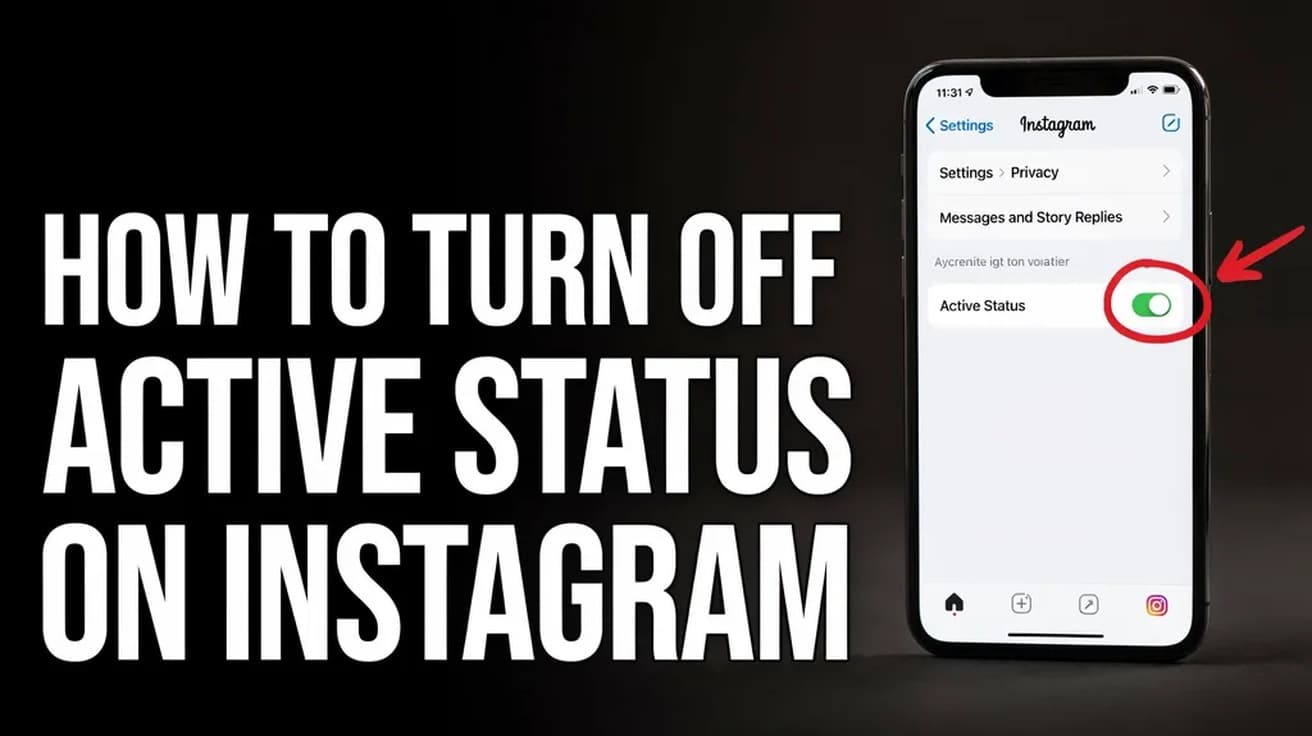
To turn off active status on Instagram, open the app, tap your profile picture, then tap the three lines in the top right. Go to Settings and activity, then Messages and story replies, then Show activity status, and switch the toggle off. The change takes effect immediately.
The green dot beside your name tells anyone you follow, and anyone you have messaged, that you are on Instagram right now. When the dot goes, a timestamp replaces it — "Active 2h ago", "Active today" — and that is often the part people actually want gone.
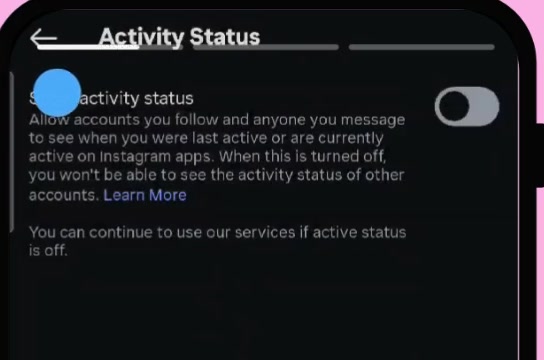
One thing to know before you flip the switch: the setting is mutual. Instagram states it on the screen itself. Once your activity status is off, you stop seeing everyone else's too, and there is no way to keep one side of the trade.
How to turn off active status on Instagram on mobile
The steps below are identical on iPhone and Android. The screenshots come from an Android walkthrough in dark mode; the labels are the same on iOS.
1. Open Instagram and tap your profile picture in the bottom-right corner.
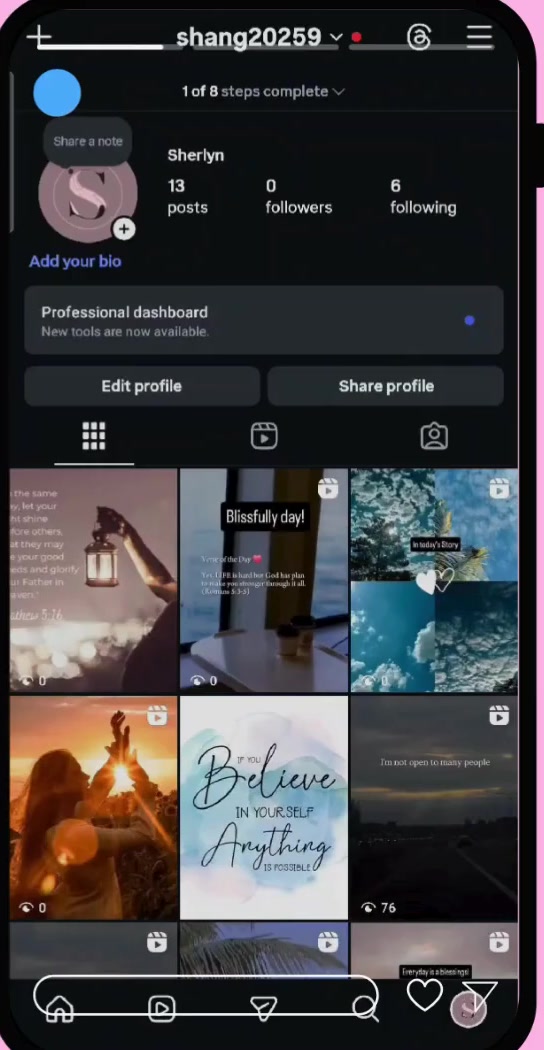
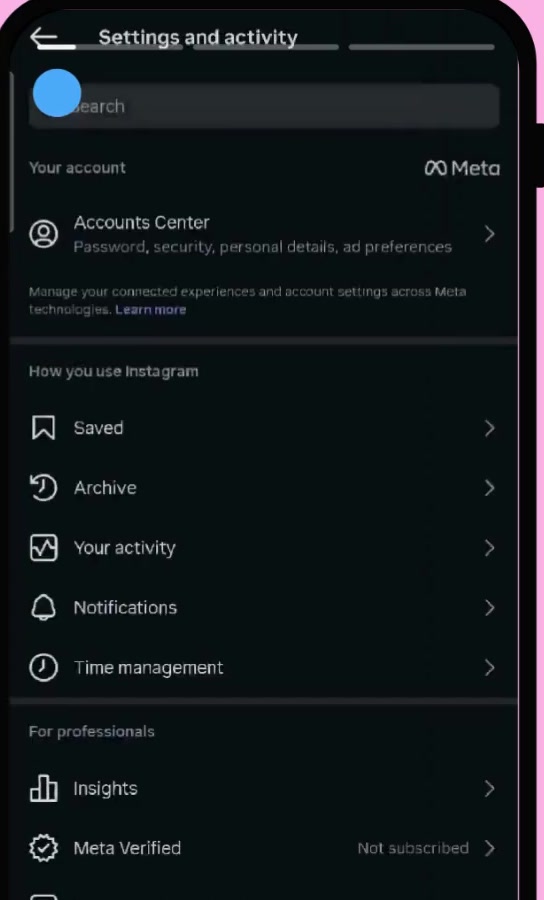
2. Tap the three horizontal lines in the top right, then tap Settings and activity. On desktop this is called Settings and privacy instead.
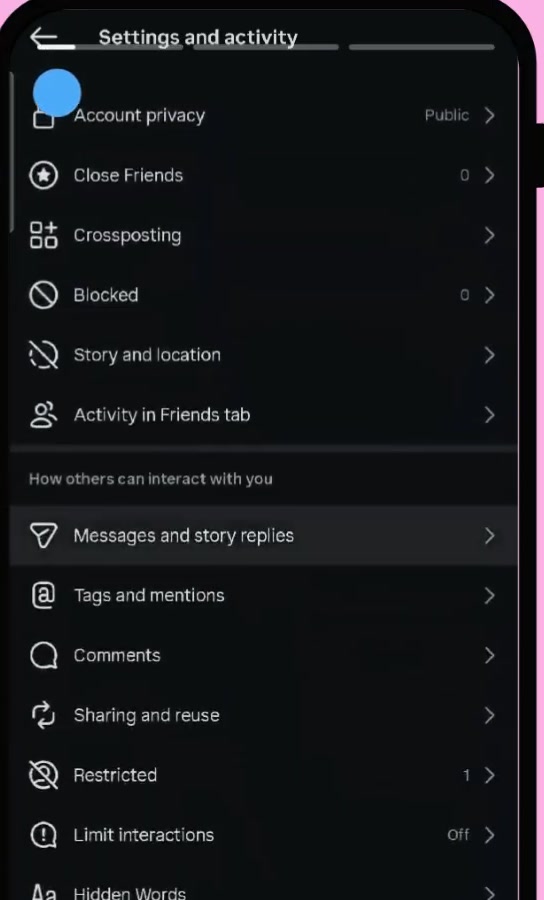
3. Scroll down to the How others can interact with you heading and tap Messages and story replies.
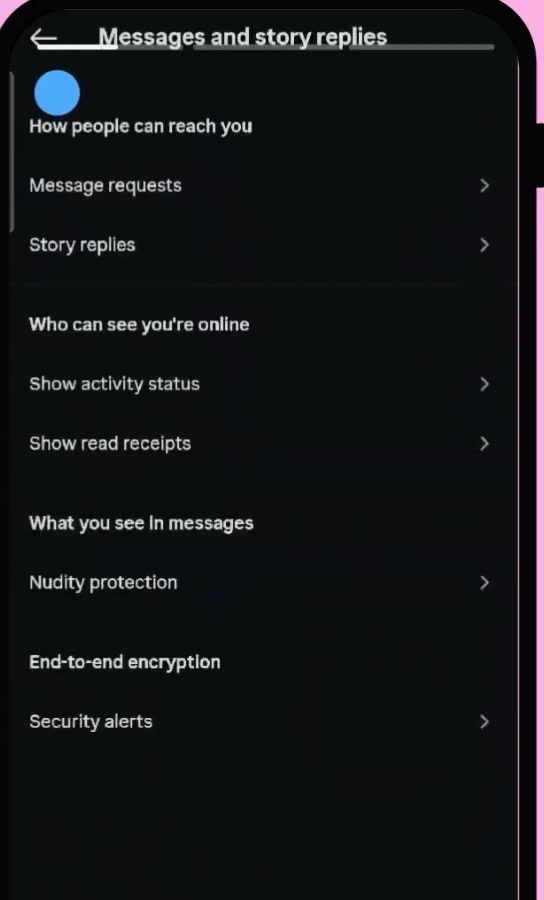
4. Under Who can see you're online, tap Show activity status. Note that Show read receipts is a separate entry directly beneath it — they are not the same setting.
5. The Activity Status screen has a single toggle. If it is on, the track is filled and the knob sits to the right.
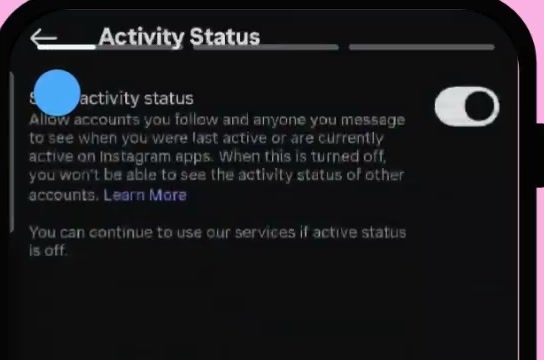
6. Tap the toggle so the knob moves to the left and the track goes grey. That is it — there is no save button, and the green dot disappears from other people's inboxes straight away.
The desktop route, and a faster shortcut
On instagram.com the path is the same once you are inside settings. Click More at the bottom of the left sidebar, choose Settings, then pick Messages and story replies from the left-hand column and open Show activity status.
On mobile there is a shortcut worth knowing. The Settings and activity screen has a search box at the top — type "activity status" into it and the setting surfaces directly, skipping steps 3 and 4. This is useful if a future app update moves the menu around.
What turning off active status does not do
It does not hide read receipts. If someone sends you a DM and you open it, they will still see "Seen" underneath. That is Show read receipts, the separate toggle one row down.
It does not hide your story views. Anyone whose story you watch still sees your name on their viewer list, and that is controlled nowhere in this menu.
It does not stop messages arriving, hide your profile, or change who can find you in search. Your account's visibility is a different setting entirely — if that is what you are after, our guide to making your Instagram account private explains who can see your posts.
Common questions
Does the other person get notified? Instagram's own documentation does not describe any notification when you change this setting, and we could not find a vendor source that says one is sent. What people do notice is the absence — if you were reliably showing as active and suddenly never are, a regular contact may draw their own conclusion.
Can I hide it from one person only? No. The toggle is all-or-nothing across your followers and DM contacts. Restricting or blocking an individual account is a separate control under the same settings menu.
How long does the green dot last anyway? It clears within a few minutes of you closing the app, then Instagram shows a relative timestamp instead. Turning the setting off removes both the dot and the timestamp.
If Show activity status isn't there
Older guides send you to Settings → Privacy and Security → Activity Status. That path no longer exists in the current app; the control moved under Messages and story replies. If your app still shows the old menu, update it from the App Store or Play Store.
The setting is also missing or placed differently in Instagram Lite and in some early rollouts of new settings layouts. The search box on the Settings and activity screen is the most reliable way to find it whichever version you are on. If it is genuinely absent after updating, Instagram's Help Center page on activity status is the canonical reference.