How to AirDrop Photos and Files on iPhone
AirDrop sends photos and files straight to a nearby Apple device over Wi-Fi and Bluetooth. Here are the exact taps, the receiving settings, and the new AirDrop code for people outside your contacts.
To AirDrop something from an iPhone, open the app holding the item, tap the Share button, then tap AirDrop and pick the person under People. They tap Accept, and the file lands in the matching app on their device.
AirDrop sends photos, files and links straight to a nearby Apple device over Wi-Fi and Bluetooth, with no cable, no email and no upload. Once you know how to AirDrop one photo, the same three taps work for documents, map pins and contact cards.
Apple states that both devices need to be nearby with Wi-Fi and Bluetooth turned on, and that Personal Hotspot must be off on either device using it. This guide follows Apple's current instructions for iPhone and iPad on iOS 27.
Send a photo or file with AirDrop
1. Open the app that holds the item. For a photo that is Photos; for a document it is Files.
2. Tap Select, then tap the items you want to send.
3. Tap the Share button, then tap AirDrop in the row of sharing apps.
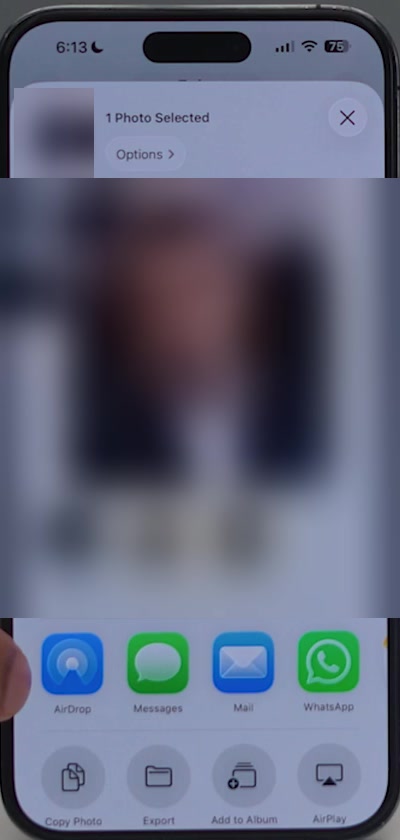
4. Under People, tap the name of the person or device you are sending to.
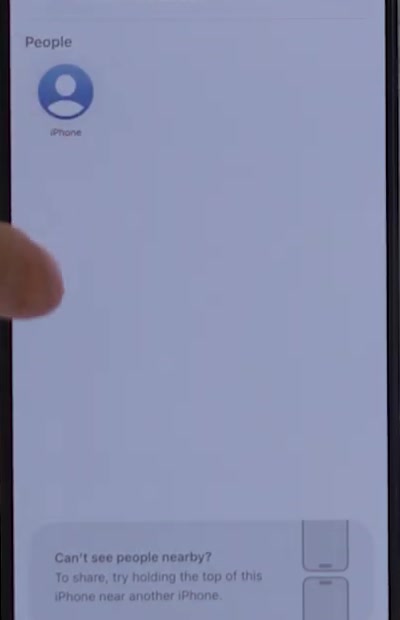
5. The other person taps Accept on their device. The item opens in the app it came from, so a photo goes to their Photos library.
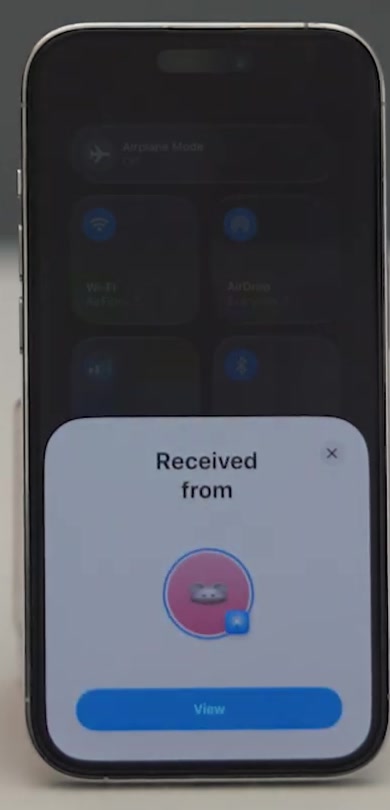
If both devices run iOS 17 or later, you can skip the list entirely and hold the two phones together to start the share.
Control who can send you items
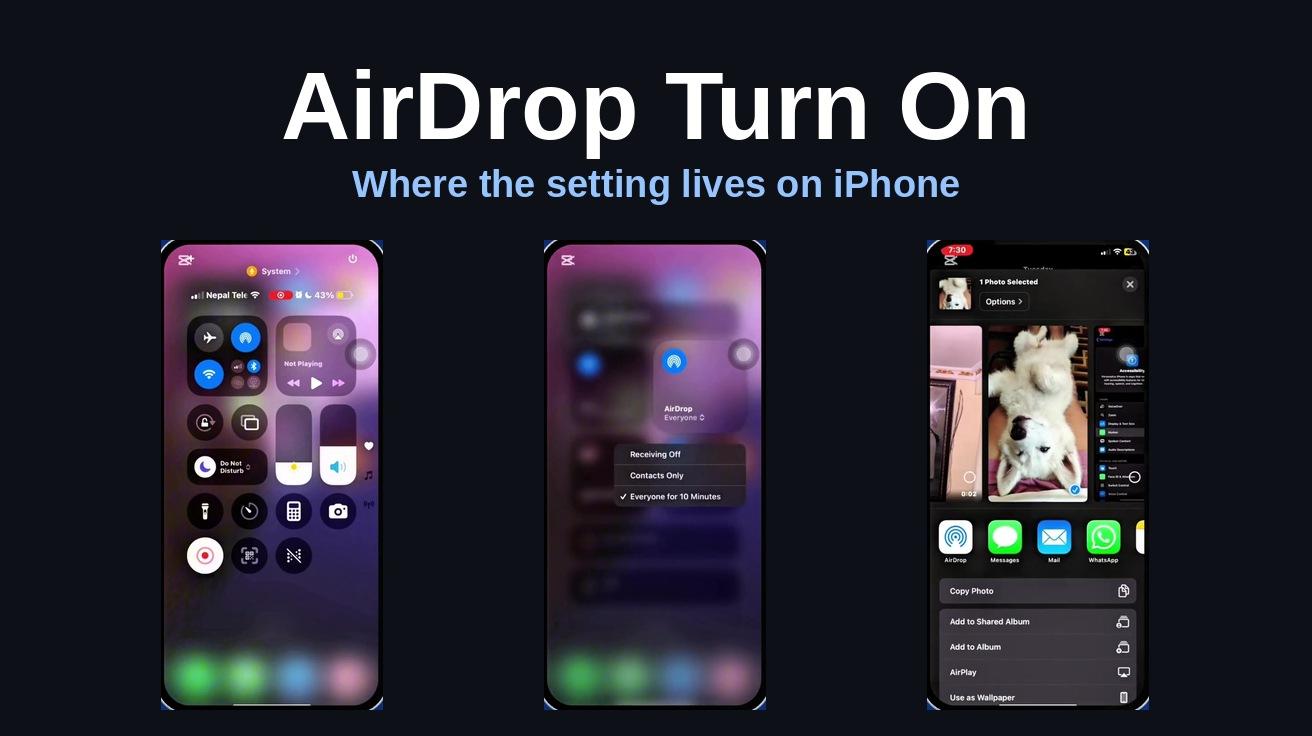
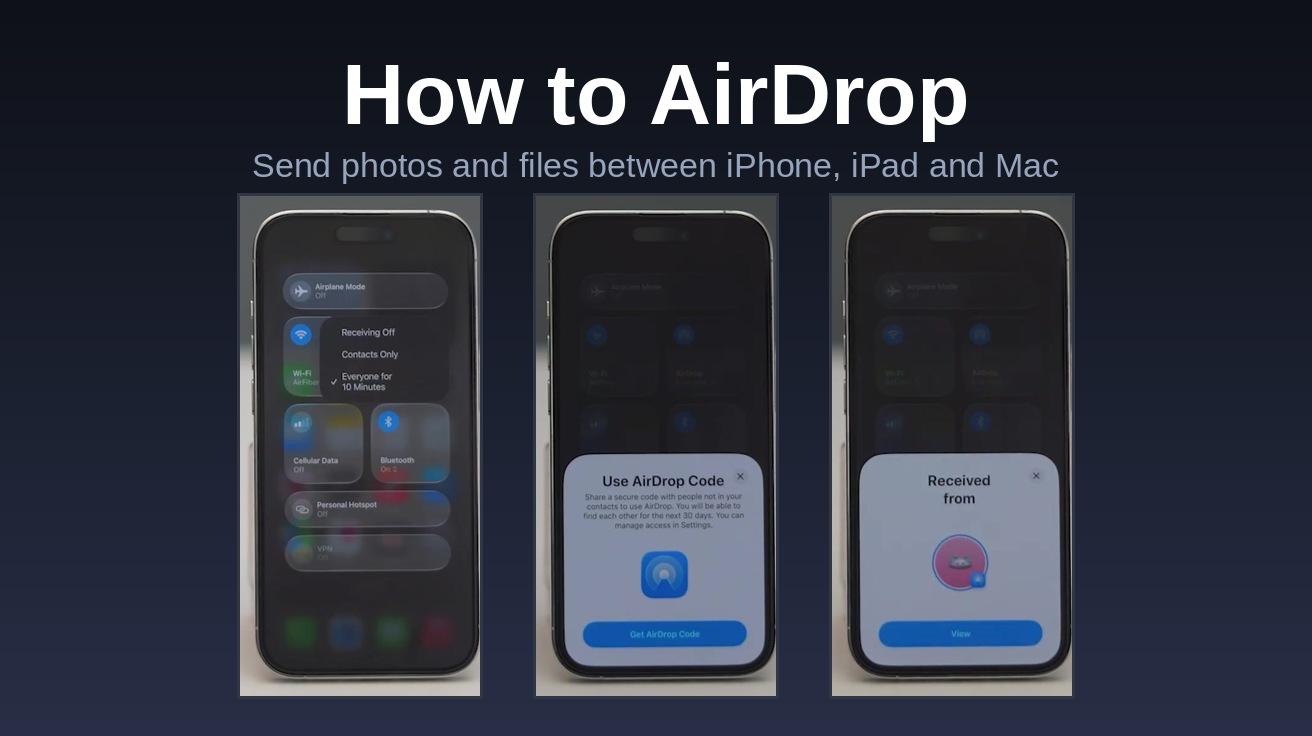
Your own AirDrop visibility lives in Control Center. Open Control Center, touch and hold the connectivity controls, then tap AirDrop. Three options appear: Receiving Off, Contacts Only and Everyone for 10 Minutes.
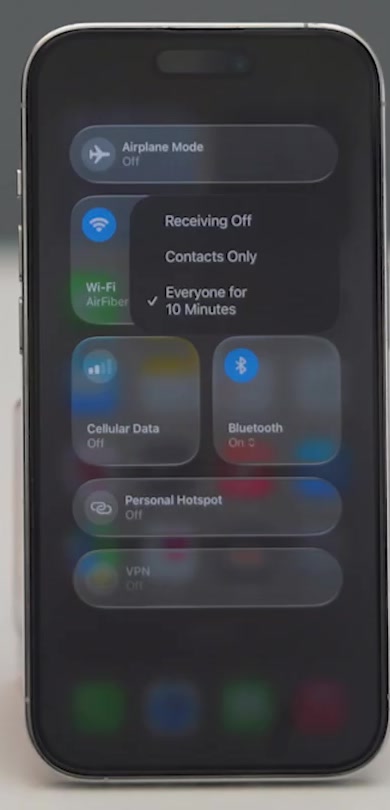
Since iOS 16.2, Everyone for 10 Minutes is a timer rather than a permanent setting. When the ten minutes are up it drops back to Contacts Only if you are signed in to your Apple Account, or to Receiving Off if you are not. If you only need to switch the feature on, our guide to where the AirDrop setting lives on iPhone covers that one toggle.
How to AirDrop to someone not in your contacts
If the person is not in your contacts, they will not show up under People until they make themselves visible. Ask them to open Control Center, touch and hold the connectivity controls, tap AirDrop, then choose Everyone for 10 Minutes. Their device then appears on your screen.
On iOS 26.2 and later, when both devices are running that version or newer, tapping their name prompts for an AirDrop code. They tap Get AirDrop Code and read the number to you, and you type it in.
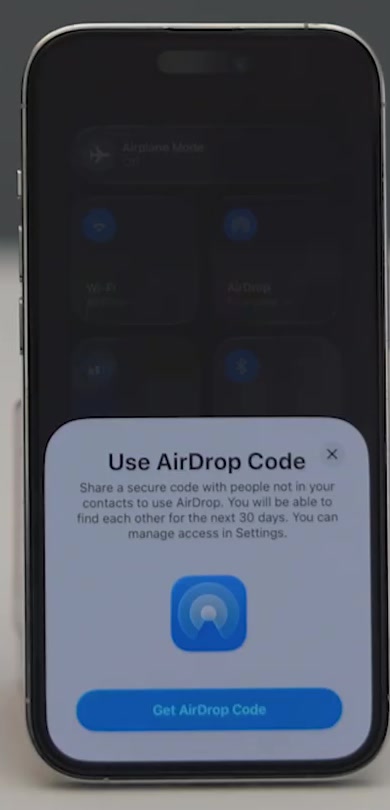
Apple says that after the code is accepted the person is added to your Other Known List for 30 days, so you can AirDrop to each other without repeating the step. You can mark them as unknown in Contacts before that period ends.
What AirDrop does not do
AirDrop sends to nearby Apple devices only, so it is not a route to an Android phone or a Windows PC. It is also not a cloud transfer: both devices have to be close enough to hold a Wi-Fi and Bluetooth connection for the whole transfer, and Apple does not publish a distance figure. For sharing a set of photos with people who are not in the room, a shared album is the better fit.
Common questions
Nobody appears under People. Check that Wi-Fi and Bluetooth are on, that Personal Hotspot is off on both devices, and that the other person's AirDrop is not set to Receiving Off. If they are not in your contacts, they need Everyone for 10 Minutes.
Where did the file go? AirDropped items open in the app that matches them. Photos and videos go to the Photos app; documents land in Files.
Can I cancel a transfer? The receiving device has to accept before anything is sent, so declining the prompt stops it there.
If the AirDrop option is not there
A missing AirDrop button in the share sheet usually means the feature is switched off rather than broken. Open Control Center, hold the connectivity controls and check the AirDrop tile reads Contacts Only or Everyone for 10 Minutes rather than Receiving Off. Screen Time restrictions can also hide it, so check there if the setting will not change.