How to Pair Apple Watch to New Phone (Full Steps)
Moving an Apple Watch to a new iPhone means unpairing it from the old one and restoring it from a backup. Here are the steps, with screenshots of each screen.
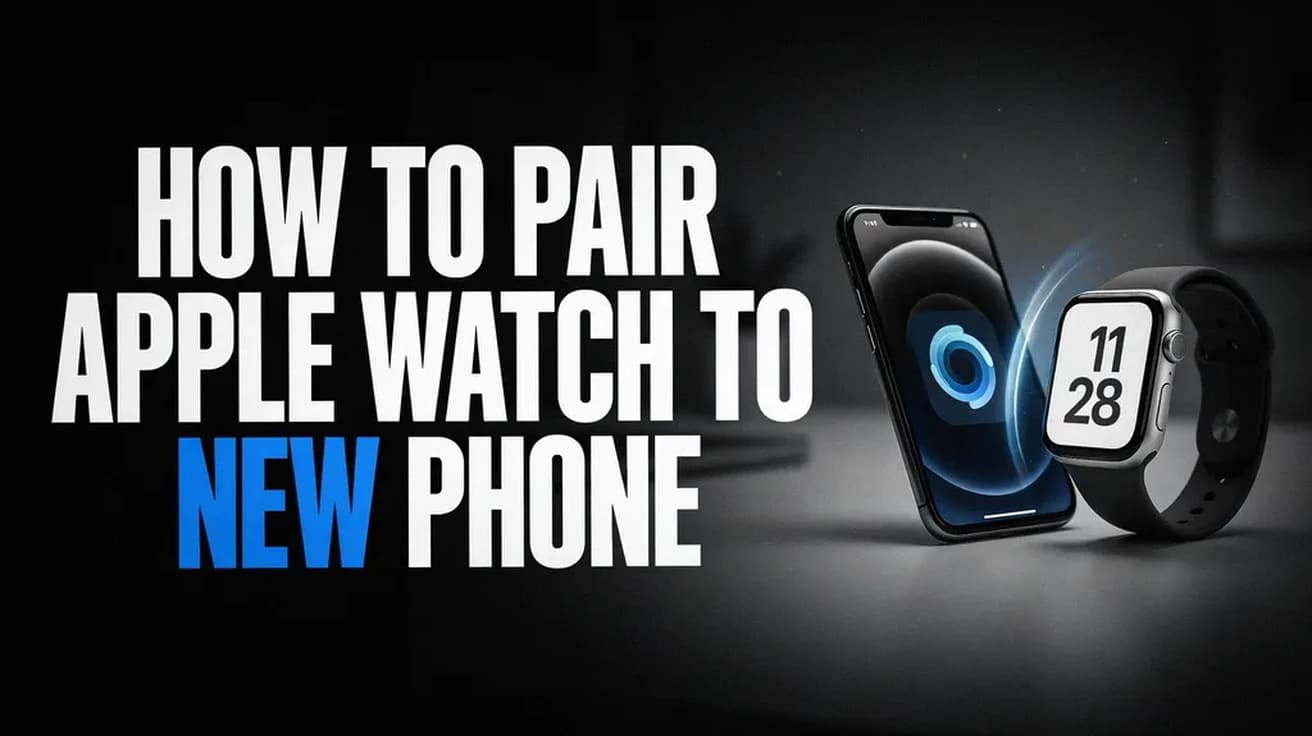
Here is how to pair Apple Watch to new phone. Unpair the watch from your old iPhone first: open the Apple Watch app, tap All Watches, tap the info button next to your watch, then tap Unpair Apple Watch. That backs the watch up on its way out. Then open the Apple Watch app on the new iPhone, tap Start Pairing, and choose Restore from Backup.
An Apple Watch is tied to one iPhone at a time. Moving it across is not a Bluetooth reconnection you can do from a settings screen — it is a full unpair followed by a fresh setup, with a backup carrying your data over the gap.
Unpairing erases the watch and restores it to factory settings. That sounds alarming, but the iPhone takes a backup as part of the process and removes Activation Lock at the same time, which is what makes the watch usable on another phone.
Apple asks for a few things before you begin: your Apple Account password, your Apple Watch passcode, both iPhones on Wi-Fi, and the watch and new iPhone charged to at least 50 percent.
How to Pair Apple Watch to New Phone, Step by Step
1. Update your old iPhone and your Apple Watch to the latest versions, and check that Health is turned on in iCloud. On the old iPhone, open Settings, tap your name, tap iCloud, tap See All, and confirm Health is on. Apple notes the updates alone can take anywhere from several minutes to an hour.
2. Keep the watch and old iPhone close together, open the Apple Watch app on the old iPhone, and tap All Watches at the top of the My Watch tab.
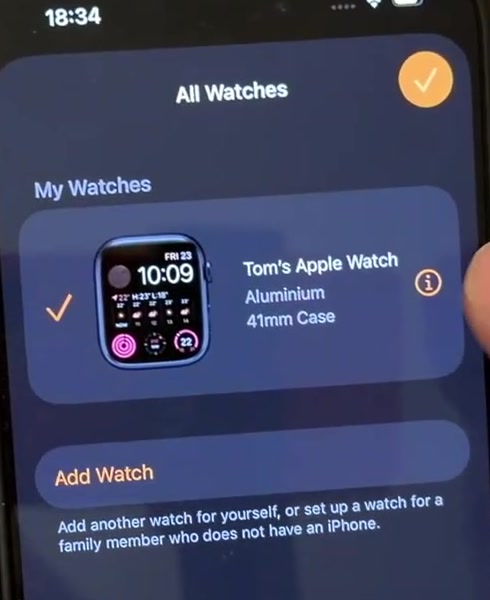
3. Tap the info button next to the watch you are moving, then scroll to the bottom and tap Unpair Apple Watch.
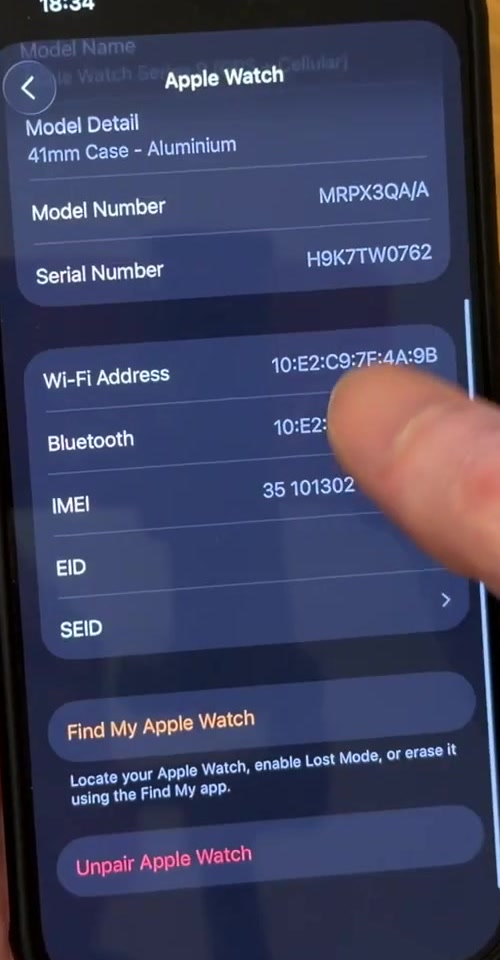
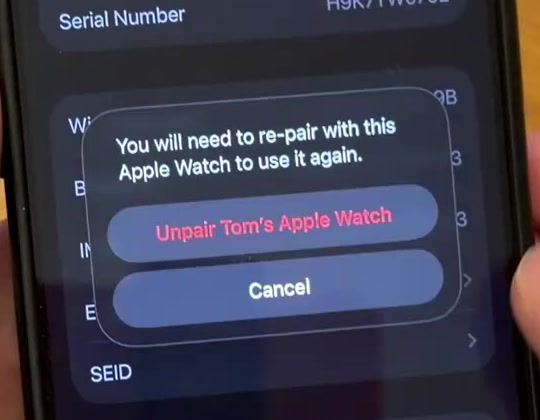
4. Confirm when the warning appears. If your watch has a cellular plan, keep it rather than removing it — you are pairing this watch again, not selling it.
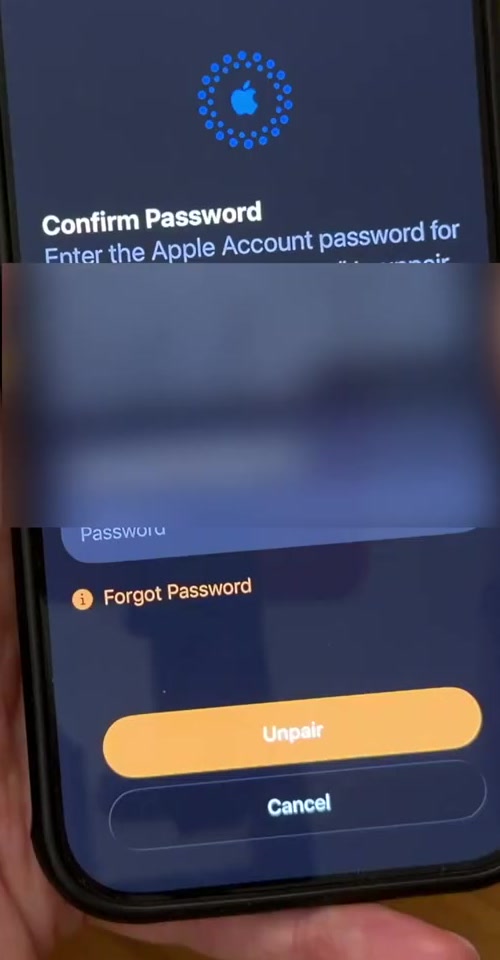
5. Type your Apple Account password to switch off Activation Lock, then tap Unpair. The iPhone backs the watch up, then erases it. Leave the two devices together until the watch shows the setup screen again.
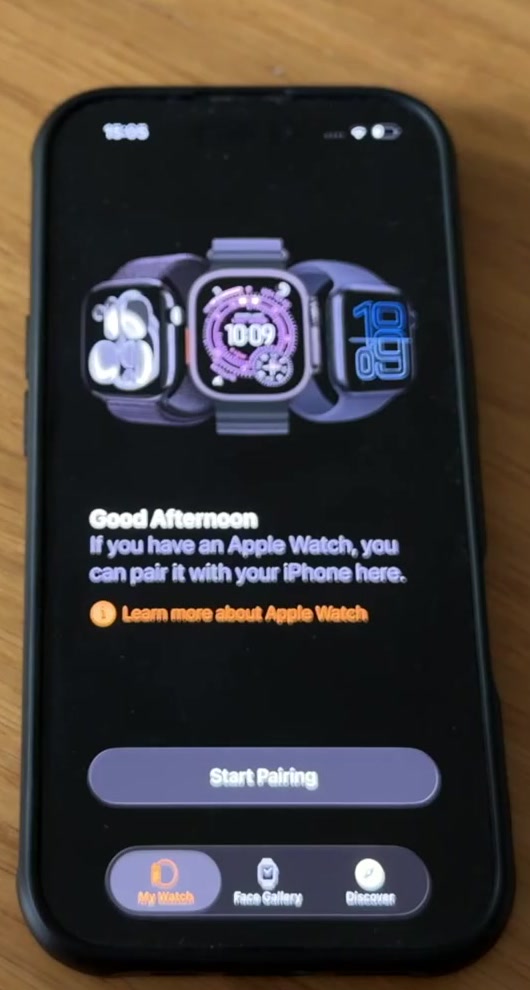
6. Put the watch on your wrist, unlock it, and bring it near your new iPhone. Open the Apple Watch app on the new iPhone and tap Start Pairing. If the message does not appear on its own, tap All Watches, then Add Watch.
7. When the phone says Your Apple Watch is Paired, tap Restore from Backup and pick the most recent backup in the list. Tapping Set Up as New Apple Watch instead gives you a clean watch and leaves the backup unused.
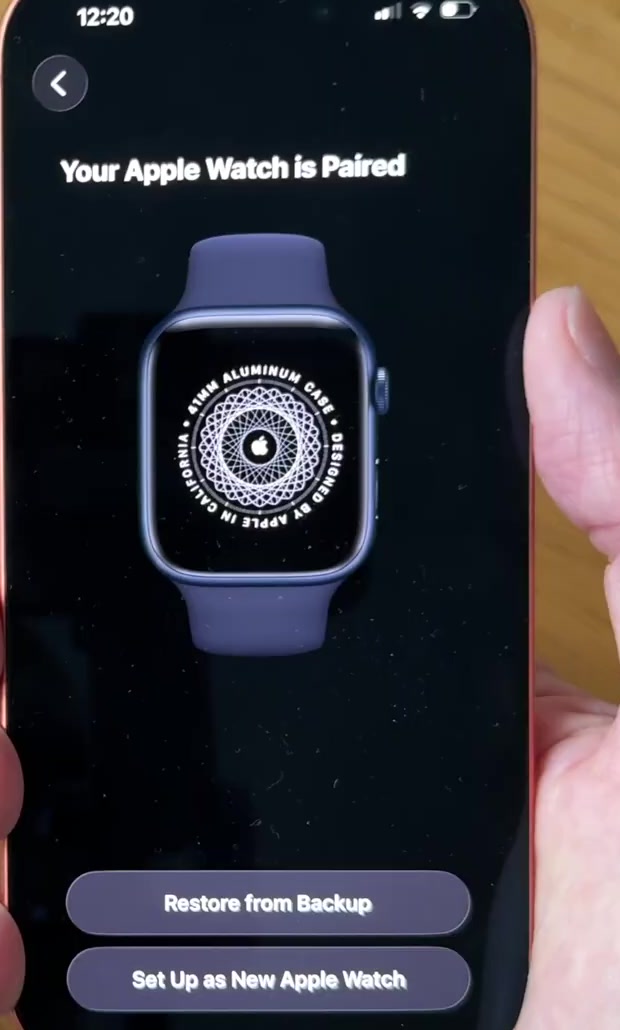
8. Work through the remaining prompts — wrist choice, terms, passcode, cellular and Apple Pay — then keep the watch and iPhone close while they finish syncing in the background.
If you are still setting up the new iPhone
There is a shorter route if the new iPhone is fresh out of the box. Back up the old iPhone, then restore the new one from that backup — an iPhone backup includes the Apple Watch. During setup the new iPhone asks whether you want to use your Apple Watch; keep the watch unlocked and on your wrist, then tap Continue.
If the transfer finished but the watch did not, open the Apple Watch app on the new iPhone, go to the My Watch tab and tap All Watches. Apple says Pairing Not Complete appears next to the watch, and tapping Finish Pairing syncs it across.
If that screen offers Start Pairing rather than Finish Pairing, the watch is still registered to the old iPhone and you need the unpair steps above first.
What this does not do
It does not make the watch work with an Android phone. Apple Watch setup runs through the Apple Watch app on an iPhone — for Apple Watch Ultra 3, Series 11 and SE 3, Apple lists an iPhone 11 or later on iOS 26 or later. "New phone" in this context means a new iPhone.
Erasing the watch from the watch itself is not the same thing. Settings, General, Reset, Erase All Content and Settings wipes the device but leaves Activation Lock in place, so you will still need the Apple Account password it was signed in to. Unpairing through the iPhone is the version that clears the lock.
A restore also does not bring absolutely everything. Apple states that iCloud does not store your Activity Sharing data, while Health and Activity content lives in iCloud and syncs to any device signed in to the same Apple Account.
Common questions
Do I need my old iPhone? It makes life easier, but no. Apple's fallback is to erase the watch from the watch, set up the new iPhone, sign in to iCloud, pair the watch and then restore from a backup. Activation Lock stays on until you enter the Apple Account password.
Will I lose data? Some, potentially. Apple warns that Activity, Workouts or settings changed between the last backup and now can be lost, which is why the unpair-and-back-up route is the safer one.
Why is my backup missing from the list? Usually because the iPhone or the watch is running an older version. Apple points at updates as the first thing to check.
If the watch will not pair
If the watch sticks on the black screen with the white Apple logo, Apple's instruction is to press and hold the Digital Crown and the side button together until it restarts, then press firmly on the screen or hold the Digital Crown and tap Reset. Our guide to turning off and force restarting an Apple Watch covers the same button combination in more detail.
If you are asked for a passcode you do not know during setup, the watch is still paired to another iPhone and has to be erased before it will go any further. If none of that helps, Apple Support can check whether the watch is locked to an account you no longer control.